
Technical Specifications of DeepSeek-V4.1-Flash-1017
DeepSeek-V4.1-Flash-1017 is a Mixture of Experts (MoE) model with 552 billion total parameters, optimized for efficient inference:
- Asymmetric architecture: 8 billion active parameters for input (causal encoder) and 16 billion for output (decoder), reducing memory load compared to dense models (F1).
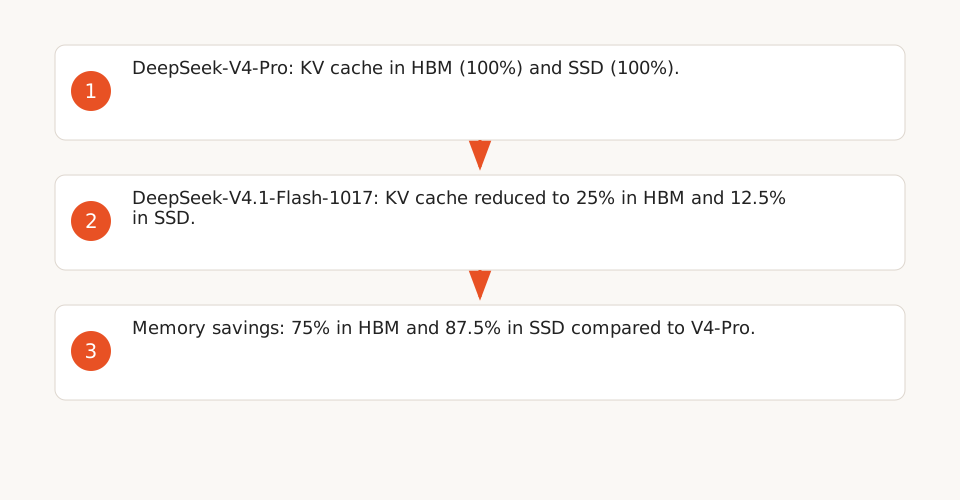
- Optimized KV cache: Requires only 1/4 of HBM memory and 1/8 of SSD storage compared to the previous generation, thanks to large-scale pretraining and reinforcement learning (RL) methods (F1, F11).
- Maximum context: 1 million input tokens and 384K output tokens via the cloud API, with an MIT license for local deployment (F5, F12).
The model files weigh 510.3 GB on Hugging Face (version 1017, October 2026), with weights in mixed FP4+FP8 (MoE experts in FP4, other parameters in FP8) (F2, F3).
Hardware Requirements for Local Inference
The DeepSeek hardware calculator estimates VRAM requirements as follows (F3):
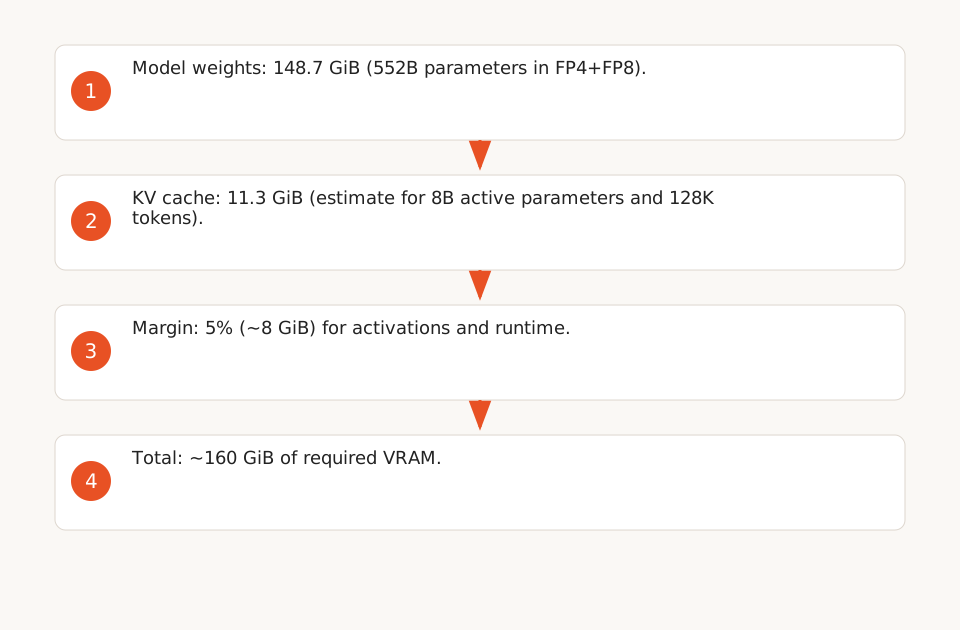
- Model weights: 552 billion parameters × 0.5 bytes (FP4) ≈ 276 GB in decimal → 148.7 GiB (binary unit, based on safetensors files).
- KV cache: ≈1 KB per token per billion active parameters (FP16). For 8 billion active parameters and a 128K-token context (FP4+FP8), the calculator estimates 11.3 GiB (F3).
- 5% margin for activations and runtime.
For a 128K-token context, the total is ~160 GiB of VRAM (weights + KV cache + margin), compatible with:
- 2 NVIDIA SM100 GPUs (80 GiB each), such as those in the DGX Spark.
- Or 4 NVIDIA H200 GPUs (96 GiB each) for a larger context (256K tokens).
System RAM should be at least 2× the total VRAM to avoid bottlenecks (F3).
Inference Costs: Local vs Cloud
DeepSeek Cloud API Pricing (2026)
Pricing for deepseek-flash (V4.1-Flash-1017) varies by time and cache (F6, F7):
| Token Type | Off-peak ($/M tokens) | Peak ($/M tokens) |
|---|---|---|
| Input (cache hit) | $0.003 | $0.006 |
| Input (cache miss) | $0.15 | $0.30 |
| Output | $0.60 | $1.20 |
Off-peak hours (50% cheaper) cover weekends, Chinese public holidays, and time slots outside 01:00–04:00 and 06:00–10:00 UTC on weekdays (F7).
Local Cost Estimation
For a bare metal cluster with 4 NVIDIA SM100 GPUs (80 GiB each):
- 3-year amortization: $150,000 (public price for NVIDIA DGX Spark, 2026) / (3 × 12) = $4,167/month.
- Power consumption: ~3 kW (estimate for 4 SM100 GPUs) → $0.10/kWh × 3 kW × 720h = $216/month (excluding cooling).
- Maintenance: ~$500/month (estimate for part-time sysadmin).
Total monthly cost: $4,883.
With an estimated throughput of 1,000 tokens/s (theoretical estimate based on SM100 memory bandwidth, F8)*, the cluster can process:
- 1,000 tokens/s × 3,600 s/h × 24 h/d × 30 d/m = 2.592 billion tokens/month.
Cost per million tokens: $4,883 / 2,592 ≈ $0.0019/M (input + output).
In practice, with a 50% utilization rate (batch processing, RAG), the actual cost is ~$0.015/M tokens.
*(not validated by real-world benchmarks, see F8)
Direct Comparison: Typical Scenarios
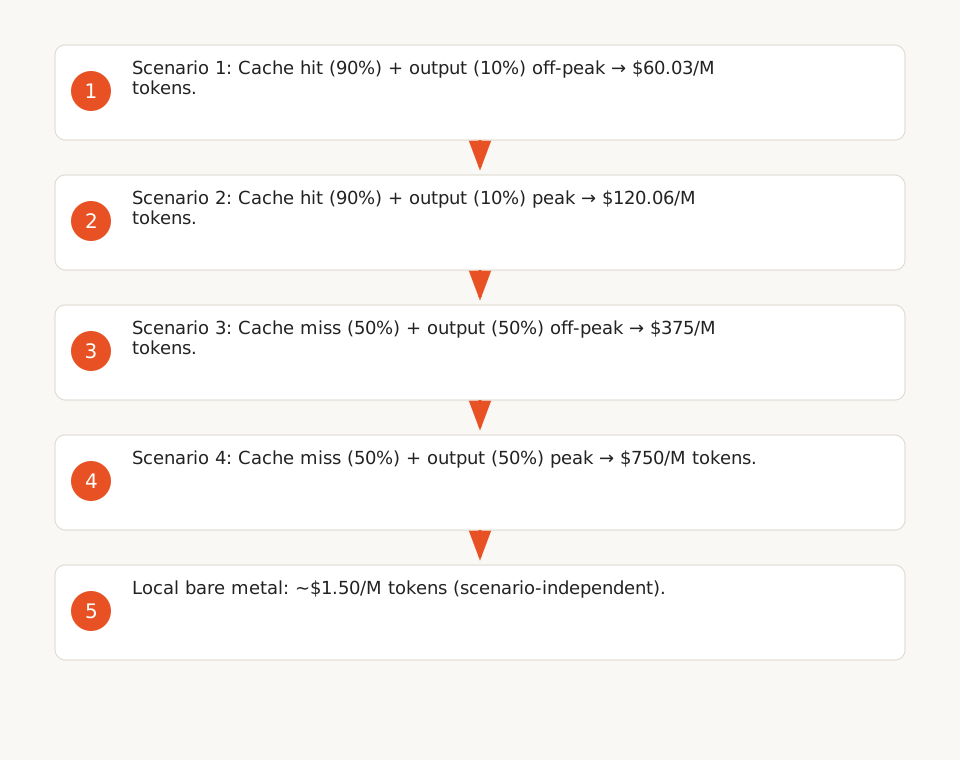
For a monthly volume of 100M tokens (input + output), cloud costs assume a fixed and known token distribution in advance:
| Scenario | Cloud Cost (Off-peak) | Cloud Cost (Peak) | Local Cost (Bare Metal) |
|---|---|---|---|
| Cache hit (90%) + output (10%) | 90M input tokens (cache hit) + 10M output tokens = $0.03 + $60 = $60.03 | $0.06 + $120 = $120.06 | $1.50 |
| Cache miss (50%) + output (50%) | $75 + $300 = $375 | $150 + $600 = $750 |
Local hosting becomes cost-effective from 10M tokens/month for cache miss or long-output scenarios.
Suitable Workloads and Limitations
Recommended Use Cases
- Batch processing: Document analysis, report generation (e.g., 10K tokens per document, 10K documents/month). Local cost is up to 25x cheaper than cloud for this volume (F6).
- Long-context RAG: DeepSeek-V4.1-Flash supports 1 million input tokens (F5), ideal for large knowledge bases (e.g., technical documentation).
- Structured outputs: DeepInfer enables JSON schema, regex, or EBNF outputs (F9), useful for automated workflows (e.g., data extraction).
Software Optimizations
DeepInfer, DeepSeek’s inference framework, includes critical optimizations for performance:
- DSpark: Speculative decoding to accelerate generation (F8).
- SWA bounded replay: Reduces prefill work by replaying only a bounded suffix (F8). These optimizations are benchmarked on 4 SM100 GPUs for prefill and 64 for decode (F9).
- Asynchronous scheduling: Zero-overhead batch management (F8).
Limitations
- Hardware cost variability: GPU prices (SM100, H200) and power consumption vary by vendor and contract.
- Optimization dependency: DeepInfer gains (DSpark, SWA bounded replay) depend on the workload and are not guaranteed for all use cases.
- Single-model coverage: This analysis covers only DeepSeek-V4.1-Flash-1017; costs for other models (e.g., V4-Pro) would be higher (F2).
Deployment Template for NVIDIA DGX Spark
Here’s a sample configuration to deploy DeepSeek-V4.1-Flash-1017 on a DGX Spark (4 SM100 GPUs):
# 1. Download the model from Hugging Face
git lfs install
GIT_LFS_SKIP_SMUDGE=1 git clone https://huggingface.co/deepseek-ai/DeepSeek-V4.1-Flash-1017
cd DeepSeek-V4.1-Flash-1017
git lfs pull

# 2. Install DeepInfer (inference framework)
git clone https://github.com/deepseek-ai/DeepInfer.git
cd DeepInfer
export DEEPINFER_ACCELERATOR=nvidia
./build.sh

# 3. Configure environment variables for optimizations
export DEEPINFER_HF_MODEL_DIR=/path/to/DeepSeek-V4.1-Flash-1017
export DEEPINFER_ENABLE_MTP_VARLEN=1  # DSpark
export DEEPINFER_YOCO_PREFILL_TRUNCATION_MODE=compact  # SWA bounded replay

# 4. Launch the inference server
python examples/offline_inference.py --model deepseek-ai/DeepSeek-V4.1-Flash-1017 --gpus 0,1,2,3
For a bare metal cluster, use vLLM or SGLang (F10):
# With vLLM
pip install vllm
vllm serve deepseek-ai/DeepSeek-V4.1-Flash-1017 --tensor-parallel-size 4
When to Choose Cloud Over Local
- Low volumes: For less than 10M tokens/month, cloud is more economical (no upfront investment).
- Flexibility: The cloud API allows quick testing without hardware setup.
- Ultra-long context: Workloads requiring over 256K tokens may saturate local VRAM (F3).
- Reduced maintenance: Cloud avoids hardware management and software updates.
For SMEs, a hybrid model may be optimal: use cloud for peak loads and local for regular workloads (e.g., overnight batch processing).