DGX Spark: Local AI-Optimized Hardware
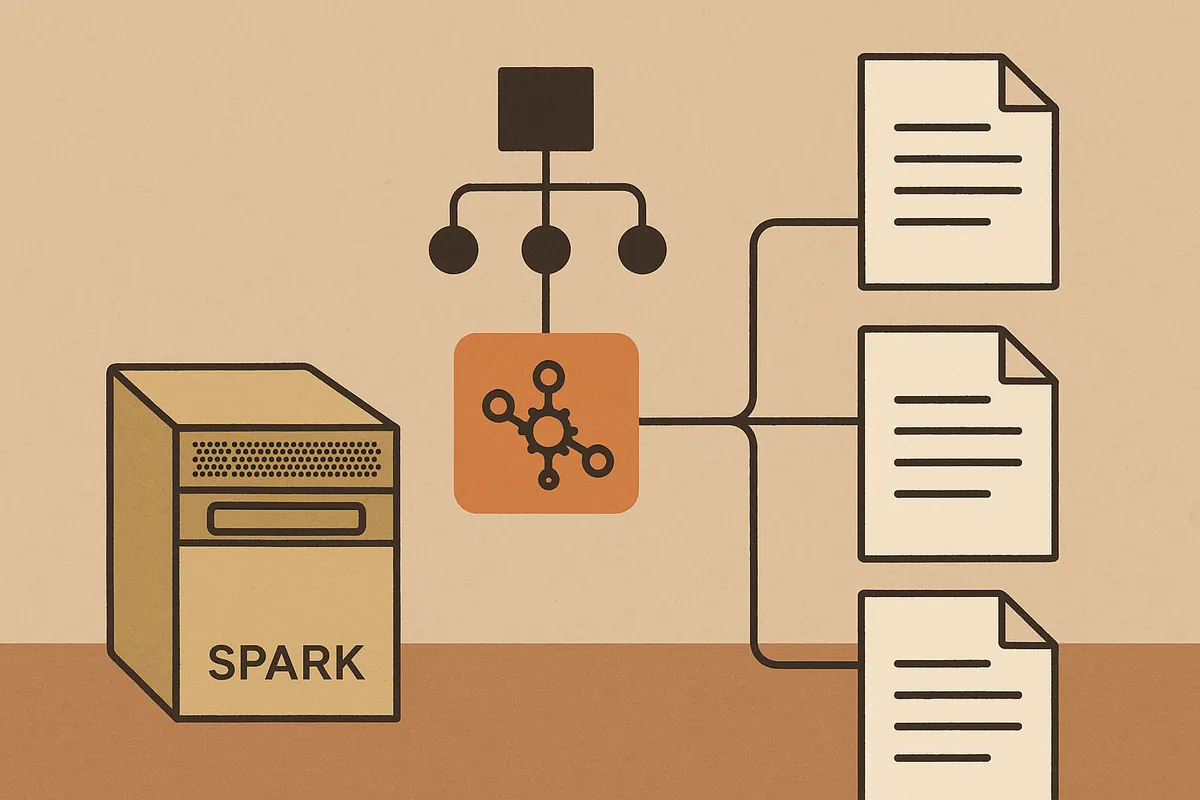
NVIDIA DGX Spark (F1-F5) is a platform designed to run AI models locally, without cloud dependency. Here are its capabilities, **as documented by NVIDIA** :
Technical Specifications
| Component | Details |
|---|---|
| Processor | NVIDIA Grace Blackwell Superchip (Blackwell architecture optimized for AI, F1). |
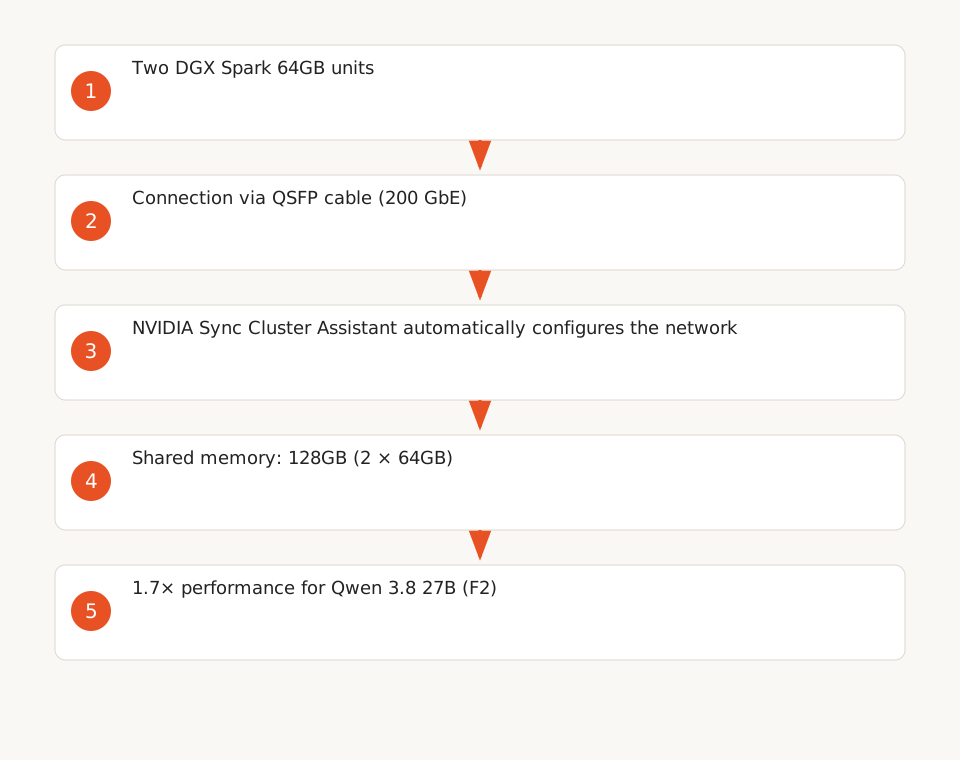
| Memory | 64GB unified memory (expandable to 128GB by clustering 2 units via NVIDIA Sync Cluster Assistant, F2). |
| Storage | 1TB-4TB NVMe with hardware encryption SED (Self-Encrypting Drive, F6). |
| Networking | NVIDIA ConnectX-7 NIC (200 GbE) for direct clustering via QSFP cable (F3). |
| OS | Ubuntu 24.04 with Linux kernel v6.11 (F7). |
| Software Stack | CUDA, cuDNN, TensorRT, NCCL, PyTorch with CUDA, TensorRT-LLM (optimized for Blackwell, F5). |
| AI Tools | NVIDIA Agent Toolkit, Nemotron (open models), Ollama (**pre-installed by default on DGX Spark**, F5), vLLM, llama.cpp. |
| Price | Starting at $4,999 (64GB, available from Acer, ASUS, Dell, etc., F4). |
Performance and Limitations
- Supported Models: Up to 100 billion parameters on a single node (64GB), up to 200 billion parameters (when clustering two units, F2).
- NVIDIA Benchmark: 1.7× performance for the Qwen 3.8 27B model in a cluster (F2). This result is specific to this model and configuration (NVIDIA internal benchmark). Performance varies by context size and task type.
- Clustering: Two DGX Spark units can be connected via a QSFP cable, with automatic network configuration via NVIDIA Sync Cluster Assistant (F3).
- Security: Hardware-encrypted storage (SED, F6), but data-in-transit encryption (e.g., between n8n and DGX Spark) must be manually configured via TLS. The dTPM is disabled by default (F6).
Example: Deploy a Local Model with Ollama
The DGX Spark supports frameworks like Ollama (**pre-installed by default on DGX Spark**, F5), which simplifies local model deployment. Here’s how to run Qwen 3.8 27B (example based on the model tested by NVIDIA in F2):
# Launch the Qwen 3.8 27B model (Ollama is pre-installed)
ollama pull qwen:27b
ollama run qwen:27b
Once deployed, the model is accessible via a local API (e.g., http://localhost:11434/api/generate).
n8n: Orchestrate Your Local AI Workflows
n8n (F9-F12) is an open-source automation tool that can be self-hosted to orchestrate AI workflows without cloud dependency. Here’s how to configure it:
Installation and Configuration
n8n installs in one line via Docker (F12):
curl -fsSL https://get.n8n.io | shFor a more robust setup (persistence, security), use Docker Compose with PostgreSQL (F12):
version: '3'
services:
  n8n:
    image: n8nio/n8n
    restart: always
    ports:
      - "5678:5678"
    environment:
      - N8N_BASIC_AUTH_ACTIVE=true
      - N8N_BASIC_AUTH_USER=<your_username>
      - N8N_BASIC_AUTH_PASSWORD=<your_password>
      - DB_TYPE=postgresdb
      - DB_POSTGRESDB_DATABASE=n8n
      - DB_POSTGRESDB_HOST=postgres
      - DB_POSTGRESDB_PORT=5432
      - DB_POSTGRESDB_USER=n8n
      - DB_POSTGRESDB_PASSWORD=<your_password>
    volumes:
      - n8n_data:/home/node/.n8n
  postgres:
    image: postgres:13
    restart: always
    environment:
      - POSTGRES_USER=n8n
      - POSTGRES_PASSWORD=<your_password>
      - POSTGRES_DB=n8n
    volumes:
      - postgres_data:/var/lib/postgresql/data
volumes:
  n8n_data:
  postgres_data:
Key Features for AI Workflows
- API Calls: n8n integrates calls to local models deployed on DGX Spark (F11).
- Triggers: Start workflows based on events (e.g., receiving an email, uploading a file).
- Custom Tools: Use tools like
Call n8n Workflow Toolto invoke other workflows (F11). - Persistence: Store data in PostgreSQL to prevent losses (F12).
- Security: Configure basic authentication and encrypted volumes (F12).
DGX Spark + n8n Integration: Concrete Workflow
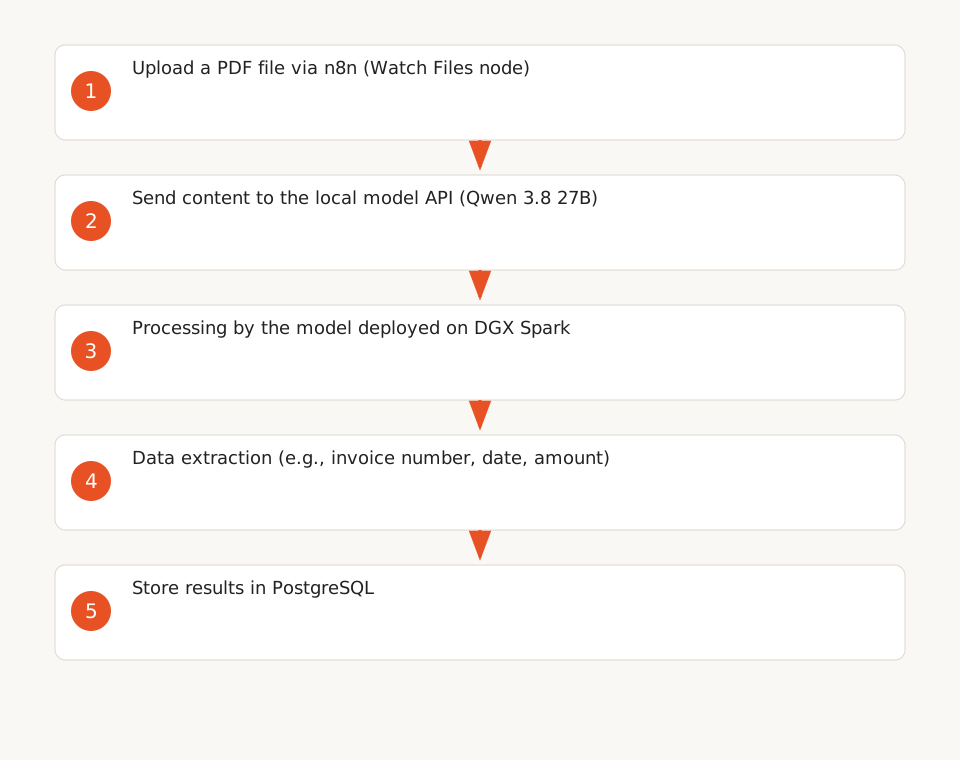
No native integration exists between DGX Spark and n8n (documented limitation). Here’s how to connect them manually for a document processing workflow:
Scenario: Extract Data from PDF Invoices
- Deploy a Local Model on DGX Spark: Use Ollama to run a model like Qwen 3.8 27B (see example above).
- Configure n8n to Call the Model: Use the
HTTP Requestnode to send requests to the model’s local API. - Automate the Workflow: Trigger the workflow via a file upload (e.g.,
Watch Filesnode), then send the PDF content to the model for extraction. - Store Results: Use a
PostgreSQLnode to save the extracted data.
Ready-to-Use n8n Template
Here’s a JSON template for an n8n workflow that processes local documents with a model deployed on DGX Spark. Import it into your n8n instance via Workflow menu > Import from file:
{
  "nodes": [
    {
      "parameters": {
        "path": "/data/uploads",
        "options": {}
      },
      "name": "Watch Files",
      "type": "n8n-nodes-base.watchFiles",
      "typeVersion": 1,
      "position": [250, 300]
    },
    {
      "parameters": {
        "authentication": "none",
        "requestMethod": "POST",
        "url": "http://localhost:11434/api/generate",
        "options": {
          "bodyContentType": "json"
        },
        "bodyParametersJson": "={\n  \"model\": \"qwen:27b\",\n  \"prompt\": \"Extract the invoice number, date, and total amount from this text: {{ $json[\"fileContent\"] }}\",\n  \"stream\": false\n}"
      },
      "name": "HTTP Request to Local Model",
      "type": "n8n-nodes-base.httpRequest",
      "typeVersion": 4,
      "position": [500, 300]
    },
    {
      "parameters": {
        "operation": "executeQuery",
        "query": "INSERT INTO extracted_data (invoice_number, date, total_amount) VALUES ('{{ $json[\"response\"][\"invoice_number\"] }}', '{{ $json[\"response\"][\"date\"] }}', '{{ $json[\"response\"][\"total_amount\"] }}');"
      },
      "name": "PostgreSQL",
      "type": "n8n-nodes-base.postgres",
      "typeVersion": 1,
      "position": [750, 300]
    }
  ],
  "connections": {
    "Watch Files": {
      "main": [[{
        "node": "HTTP Request to Local Model",
        "type": "main",
        "index": 0
      }]]
    },
    "HTTP Request to Local Model": {
      "main": [[{
        "node": "PostgreSQL",
        "type": "main",
        "index": 0
      }]]
    }
  }
}
Technical Limitations and Prerequisites
- No Native Integration: You must manually configure API calls between n8n and DGX Spark (F11).
- Data Encryption: DGX Spark storage is encrypted by default (SED, F6), but data-in-transit encryption (e.g., between n8n and DGX Spark) must be manually configured via TLS.
- Performance: NVIDIA’s benchmarks (1.7× in cluster) are specific to the Qwen 3.8 27B model (F2). Test your models before scaling.
- Manual Configuration: Self-hosted n8n requires setup for persistence (PostgreSQL), security (authentication, encrypted volumes), and monitoring (F12).
- Operational Costs: The DGX Spark price ($4,999, F4) does not cover maintenance, electricity, or cooling.
Local vs. Cloud Comparison
Here’s a cost and performance comparison for a document processing workflow, based on the sources (F2, F4, F6):
| Criteria | Local (DGX Spark + n8n) | Cloud (API + Automation Tool) |
|---|---|---|
| Initial Cost | $4,999 (DGX Spark 64GB) + n8n hardware cost (e.g., dedicated server). | No initial cost, but variable recurring fees depending on providers. |
| Monthly Cost | Electricity (~$50-$100/month) + maintenance. | Variable recurring fees (e.g., per-request costs depending on providers). |
| Confidentiality | 100% local data (no third-party transfers, F6). | Data sent to cloud APIs (leak risk). |
| Latency | Low (local processing, F2). | Variable (depends on internet connection). |
| Scalability | Scalable via clustering (up to 200 billion parameters, F2). | Unlimited (but costly). |
| Maintenance | Required (updates, monitoring via nvidia-smi, F8). |
None (managed by cloud provider). |
Recommendations for Ops Teams
- Start with a minimal deployment: Deploy a single DGX Spark node (64GB) and test your workflows before scaling (F2).
- Secure Data: Enable volume encryption (SED, F6) and configure TLS for communications between n8n and DGX Spark.
- Monitoring: Use
nvidia-smiand DGX Spark telemetry tools to monitor performance (F8). - Persistence: Configure PostgreSQL for n8n to prevent data loss (F12).
- Documentation: Document your workflows and configurations for easier maintenance.
Useful Resources
- Keerok Expertise: No-Code Automation with Make and Zapier (to compare with other tools).
- Guide: Implement AI in Your Business Without Cloud (best practices for ops).
- Hub: No-Code Automation (Make, Zapier, n8n) (complementary resources).
- n8n Documentation (to configure your instance).
- NVIDIA Blog: DGX Spark (technical specifications, F1-F5).