
Legal Framework: What eIDAS Requires for Electronic Signatures
The eIDAS Regulation (EU No 910/2014) has applied directly across all EU member states since 2016, ensuring electronic documents cannot be rejected solely due to their format (F1). It defines three levels of signatures:
- Simple: Proof of signer identity (e.g., checkbox).
- Advanced: Uniquely linked to the signer, with detection of subsequent modifications (F2).
- Qualified: Advanced signature + qualified certificate issued by a provider listed in the EU’s Trusted Lists (F3). Only this level has the same legal value as a handwritten signature.
For sensitive contracts (e.g., real estate, financial), a qualified signature is recommended. Tools like TurboDocx do not guarantee qualified eIDAS signatures (F8), but can be supplemented with a third-party timestamp (e.g., Universign) to enhance traceability (F2).
Technical Workflow: Steps and Tools
Here’s a functional n8n workflow to automate contract sending, based on the documented capabilities of the tools (F4, F5, F9, F12). Each step is reproducible with the prerequisites described.
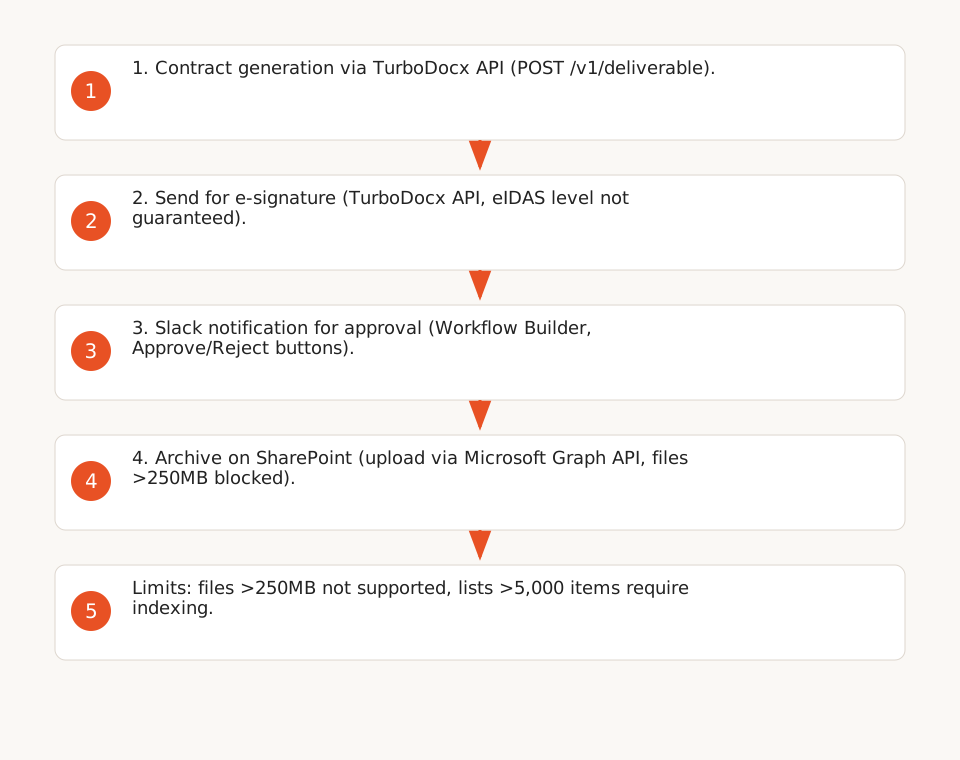
1. Generate the Contract with TurboDocx
TurboDocx offers a RESTful API to create documents from templates (.docx, .pptx, .pdf) with dynamic variable substitution (text, images, markdown, AI-generated content).
- Endpoint:
POST /v1/deliverable(F5). - Supported Variables: simple text (
{CompanyName}), sub-variables ({Employee.FirstName}), variable stacks, and AI content (F4). - Authentication: Bearer Token (JWT) + Organization ID (F5).
{
  "templateId": "template_123",
  "variables": {
    "ClientName": "Acme Corp",
    "ContractAmount": "5000",
    "SignDate": "2026-11-15"
  }
}
2. Send the Contract for E-Signature
TurboDocx allows sending documents for signature via its API, but sources do not specify the eIDAS compliance level (simple, advanced, or qualified). For verifiable traceability:
- Store the generated document in SharePoint with a third-party timestamp (e.g., via an API like Universign) to meet eIDAS requirements (F2).
- TurboDocx Pro and Enterprise plans include audit options, but without guarantees for qualified signatures (F8).
3. Notify the Team on Slack for Approval
Slack Workflow Builder enables no-code workflows for approvals, with connectors for 70+ apps (Salesforce, Jira, Google Sheets).
- Create a message in a dedicated channel with two buttons: Approve / Reject.
- Condition: If Approve is clicked, the workflow proceeds to the next step; if Reject, a notification is sent to the sender via Slack (F12).
- Slack Workflow Builder is included in Pro and Business+ plans, but third-party connectors (e.g., Salesforce) may require separate subscriptions.
4. Archive the Signed Contract on SharePoint
The n8n SharePoint v2 node allows uploading files and managing lists, but with technical limitations:
- Endpoint:
POST /sites/{site-id}/drive/root:/{file-path}:/content(F9). - Limitations:
- Files >250MB: blocked (F11). Solution: use Azure Blob Storage for large files.
- Lists >5,000 items: cannot filter without an index (F11). Solution: create an index on critical columns (e.g.,
ContractID).
- Authentication: Microsoft Entra Service Principal (app-only) with
Sites.ReadWrite.AllorSites.Selectedpermissions (F10). User accounts are insufficient for automated workflows.
Costs and Limits: What the Sources Reveal
Tools promise "unlimited" automation, but the fine print reveals hidden costs and technical limits:
TurboDocx: API Quotas and Extra Costs
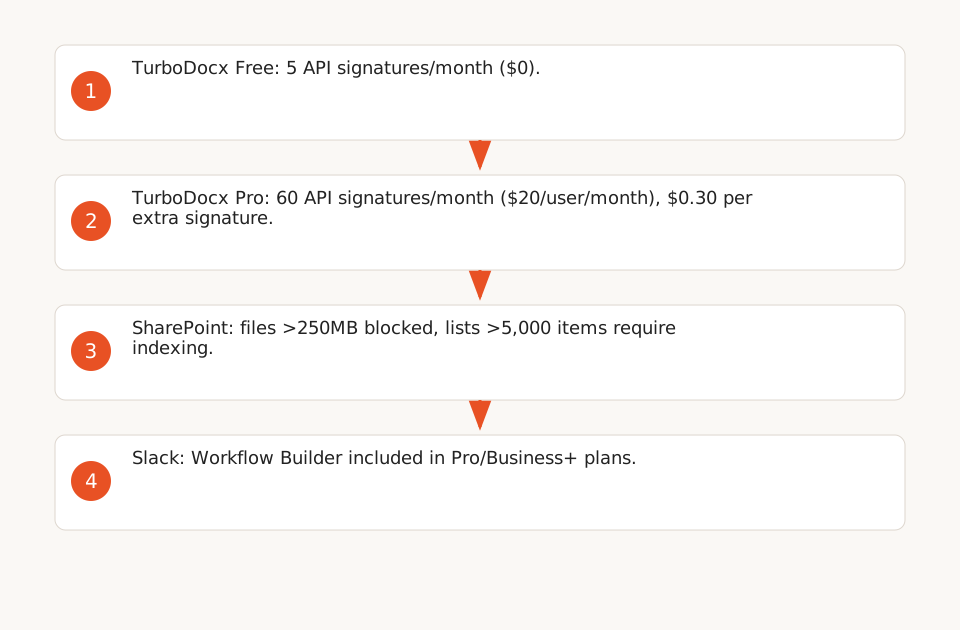
| Plan | Price | API Signatures/Month (programmatic calls only) | Extra Cost |
|---|---|---|---|
| Free | $0 | 5 | — |
| Pro | $20/user/month | 60 | $0.30 per signature beyond limit |
| Enterprise | Custom | Customizable | — |
Example Calculation: 100 contracts/month on Pro = 60 free signatures + 40 at $0.30 = $12 extra (F6).
SharePoint: Technical Pitfalls
- Files >250MB: Uploads fail systematically (F11). Solution: compress PDFs or use Azure Blob Storage.
- Lists >5,000 items: Cannot filter without an index (F11). Solution: create an index on critical columns (e.g.,
ContractID). - Authentication: Automated workflows require a Microsoft Entra *app registration* (F10). User accounts are insufficient.
Slack: Workflow Costs
- Slack Workflow Builder is included in Pro and Business+ plans, with no extra cost for basic connectors (F12).
- SMS OTPs for signers (TurboDocx Pro) are sent via your Twilio or RingCentral account, billed at your rates (F7).
n8n: Execution Limits
- The Starter plan (free) limits executions to 1,600/month. For higher volumes, upgrade to n8n Pro ($20/month) or self-host.
eIDAS Compliance: What the Tools Don’t Guarantee
The eIDAS Regulation sets strict requirements for electronic signatures (F1, F2, F3):
- Qualified Signatures: TurboDocx does not guarantee qualified eIDAS signatures (F8). For sensitive contracts, use a certified tool like DocuSign or Yousign.
- Electronic Seals: Reserved for legal entities (F2). No cited tool explicitly supports them.
- Timestamping: Mandatory for advanced and qualified signatures (F2). TurboDocx does not specify if it includes this. Solution: add a third-party timestamp via an API like Universign.
- Trusted Lists: Qualified signature providers must be listed in the EU’s Trusted Lists (F3). TurboDocx is not listed.
Downloadable n8n Template
Here’s an n8n template to get started (⚠️ Adapt with your API credentials, template IDs, and SharePoint permissions):
{
  "nodes": [
    {
      "parameters": {
        "authentication": "oAuth2",
        "resource": "deliverable",
        "operation": "generate",
        "templateId": "=template_123",
        "options": {},
        "body": {
          "variables": {
            "ClientName": "={{$node[\"Webhook\"].json[\"body\"][\"client\"]}}",
            "ContractAmount": "={{$node[\"Webhook\"].json[\"body\"][\"amount\"]}}"
          }
        }
      },
      "name": "TurboDocx",
      "type": "n8n-nodes-base.turboDocx",
      "typeVersion": 1,
      "position": [250, 300]
    },
    {
      "parameters": {
        "authentication": "oAuth2",
        "resource": "message",
        "channel": "C12345678",
        "text": "=Contract generated for {{$node[\"TurboDocx\"].json[\"client\"]}}. Approve?",
        "attachments": {
          "attachments": [
            {
              "callback_id": "contract_approval",
              "actions": [
                {
                  "name": "approve",
                  "text": "Approve",
                  "type": "button",
                  "value": "approve"
                },
                {
                  "name": "reject",
                  "text": "Reject",
                  "type": "button",
                  "value": "reject"
                }
              ]
            }
          ]
        }
      },
      "name": "Slack",
      "type": "n8n-nodes-base.slack",
      "typeVersion": 1,
      "position": [500, 300]
    },
    {
      "parameters": {
        "authentication": "oAuth2",
        "resource": "file",
        "operation": "upload",
        "siteId": "=site_123",
        "filePath": "=/Contracts/{{$node[\"TurboDocx\"].json[\"client\"]}}_signed.pdf",
        "binaryPropertyName": "data",
        "options": {}
      },
      "name": "SharePoint",
      "type": "n8n-nodes-base.microsoftSharePoint",
      "typeVersion": 2,
      "position": [750, 300]
    }
  ],
  "connections": {}
}
Next Steps
- Explore our guide on automating banking workflows with n8n to integrate compliance checks into your processes.
- Discover our Make/Zapier expertise to compare no-code alternatives to n8n.
- Visit our no-code automation hub for additional resources.