
A Unified Offering for Four Business Use Cases
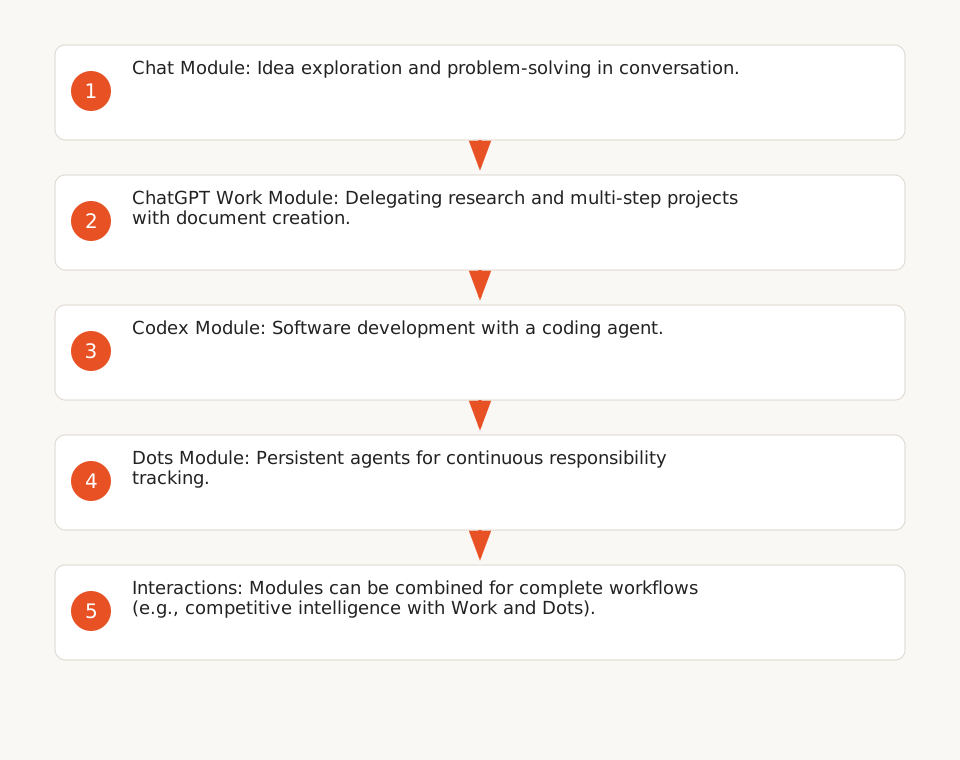
ChatGPT Enterprise on AWS Marketplace integrates four distinct modules, each targeting a specific operational need (F1):
- Chat: Idea exploration, problem-solving, and drafting in conversation (F2).
- ChatGPT Work: Delegate research, analysis, and projects that span multiple steps, using context from connected applications and files to create documents, presentations, and reports (F3).
- Codex: Software development with an agent capable of understanding codebases, fixing bugs, and running tests (F4).
- Dots: Persistent agents that learn user preferences and handle ongoing responsibilities (e.g., updating documents, advancing projects between conversations) (F5).
Hypothetical Example: Automating Competitive Intelligence
A marketing team could use ChatGPT Work to delegate a weekly competitive analysis:
- The user connects a Google Drive folder containing previous reports and a list of competitor URLs.
- They define the steps: extract product updates, compare prices, and generate an executive summary.
- The agent executes the task, updates a dashboard, and submits results for approval.
- With Dots, the agent can repeat this analysis automatically each week, alerting the team only in case of anomalies.
This example shows how Work and Dots combine one-time delegation with continuous automation, without requiring technical skills.
Economic Model: SaaS Subscription and AWS Integration
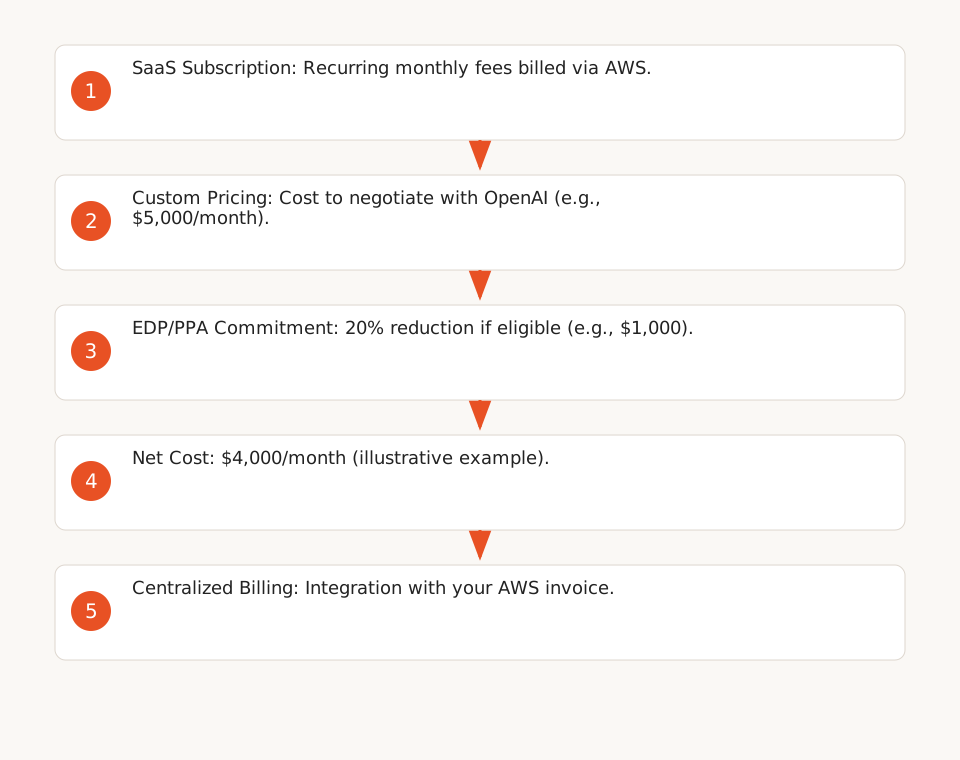
ChatGPT Enterprise is offered as a SaaS subscription with recurring monthly fees billed through your AWS account (F12). Here are the key points:
- Custom Pricing to negotiate with OpenAI: No public pricing grid is available on the product page. Costs depend on the number of users and activated modules (F12).
- Integration with AWS Commitments: Eligible consumption may count toward your EDP (Enterprise Discount Program) or PPA (Private Pricing Agreement) commitments, subject to your contract terms with AWS (F8). This can reduce the effective cost if you already have a high commitment volume.
- Centralized Billing: Fees appear on your AWS invoice, simplifying administrative management (F8).
Hypothetical Total Cost Calculation
Assume a company with 50 users and a 20% EDP commitment on AWS:
- Estimated monthly cost of ChatGPT Enterprise: $5,000 (illustrative hypothesis, to be negotiated with OpenAI).
- EDP reduction: $1,000 (20% of $5,000).
- Net cost: $4,000/month, or $80/user/month.
This calculation is purely illustrative. Actual pricing depends on negotiations with OpenAI and AWS, as well as the activated modules (e.g., Codex may be billed separately for technical teams).
Security and Privacy: Guarantees and Limitations
The product page highlights several security guarantees, but with significant limitations:
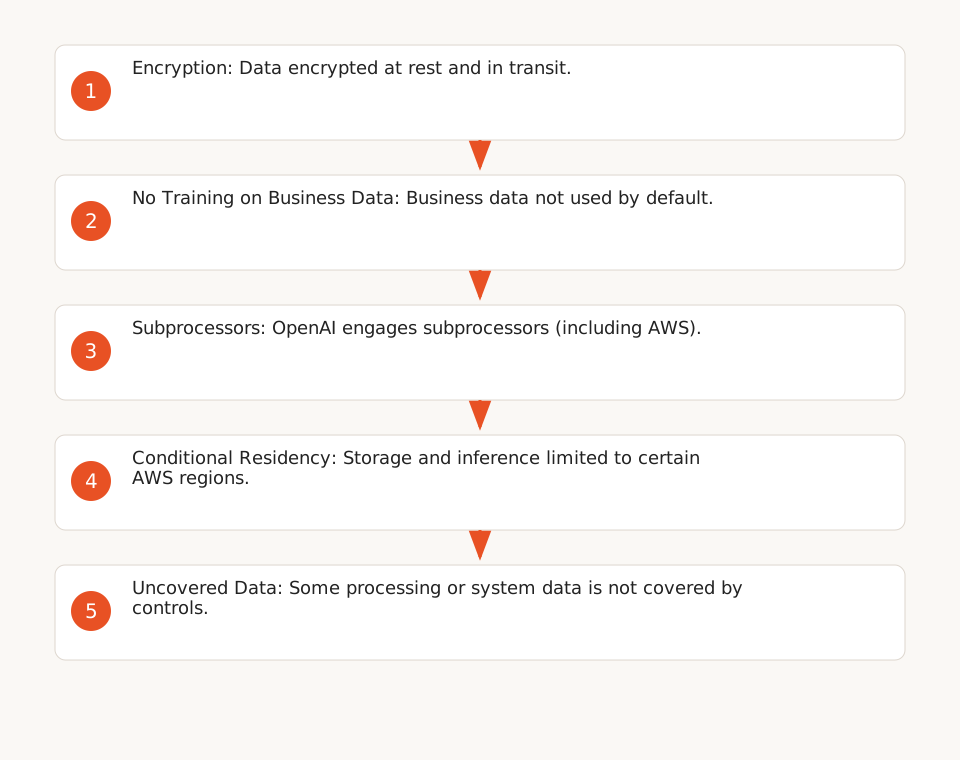
- Data Encryption: Data is encrypted at rest and in transit (F6).
- No Training on Business Data: Business data is not used to train OpenAI models by default (F6).
- Administrative Controls: Administrators can manage user access, permissions, and connected tools (F7). Users retain control over actions requiring approval (e.g., sending an email via an agent) (F7).
Limitations to Be Aware Of
- Data Residency: Residency options (storage and inference) are not available in all regions and require explicit activation (F11). For example, if your company operates in Europe, verify that supported AWS regions (e.g., Frankfurt) align with your legal obligations. These controls do not cover all processing or system data.
- Subprocessing: OpenAI engages subprocessors, including AWS, to support the service (F9). This means your data may transit through third-party infrastructures, even if encrypted.
- No AWS Residency Guarantee: Purchasing through AWS Marketplace does not guarantee that all data remains on AWS infrastructure or within your environment (F10). For companies subject to strict sovereignty constraints, this may be problematic.
Checklist for Assessing Compliance
Before adopting ChatGPT Enterprise, verify these points with your legal and technical teams:
- Check with OpenAI that the supported AWS regions for data residency cover your needs. (See OpenAI’s documentation for details.)
- Do you need a specific Data Processing Addendum (DPA) with OpenAI to cover subprocessors? (F9)
- Are the administrative controls (e.g., permission granularity) sufficient for your security policy?
Deployment and Support: Key Steps
ChatGPT Enterprise is deployed as a SaaS managed by OpenAI, simplifying implementation but limiting your control over the infrastructure (F12). Here are the key steps:
- Purchase via AWS Marketplace: Select the offering and configure the number of users and required modules.
- Access Configuration: Use the admin dashboard to invite users, define permissions, and connect tools (e.g., Google Drive, Slack).
- Integration with Your Tools: Modules like ChatGPT Work and Dots require connections to your business applications (F3, F5). Allocate time for API permission configuration.
- Team Training: While the interface is intuitive, targeted training can accelerate adoption. For example:
- For non-technical teams: Focus on Chat and ChatGPT Work (document creation, data analysis).
- For developers: Focus on Codex (IDE integration, code review).
Technical Support
- OpenAI Support: For technical questions, contact marketplace-support@openai.com (F12). Support is provided via email, with no guaranteed SLA.
- AWS Support: AWS provides 24/7 support for billing or integration issues with your AWS account (F12).
Alternatives Based on Your Constraints
If ChatGPT Enterprise via AWS Marketplace doesn’t meet all your requirements, consider these two alternatives:
- Self-Hosting an Open-Source Model: For companies with strict sovereignty constraints, solutions like DeepSeek-V4.1-Flash can be deployed on your infrastructure. This offers full control over data but requires significant technical and hardware resources.
- No-Code Automation with Voice Agents: For specific use cases (e.g., customer calls), solutions like an AI voice agent can be more flexible and cost-effective.
Key Points to Clarify Before Purchase
Before finalizing the purchase, clarify these points with OpenAI and AWS:
- Minimum Commitment: Is there a minimum number of users or contract duration?
- Optional Modules: Are some modules (e.g., Codex) billed as add-ons?
- Supported Regions: Which AWS regions support data residency and inference options?
- Third-Party Integrations: Which business tools (e.g., Salesforce, Notion) are officially supported?
Template for Configuring Team Access
Here’s a template to standardize access and permission configuration in ChatGPT Enterprise. Adapt it to your security policy:
// ChatGPT Enterprise Configuration Template
// Adapt to your needs

{
  "team": "Team Name",
  "modules_activated": ["Chat", "ChatGPT Work", "Dots"], // or ["Codex"] for devs
  "permissions": {
    "file_access": ["Google Drive", "OneDrive"], // List of connected tools
    "agent_actions": [
      {
        "action": "send_email",
        "requires_approval": true
      },
      {
        "action": "update_document",
        "requires_approval": false
      }
    ]
  },
  "data_residency": {
    "storage": "eu-central-1", // AWS region for storage
    "inference": "eu-central-1"  // AWS region for inference
  },
  "users": [
    {
      "email": "user1@yourcompany.com",
      "role": "member" // or "admin"
    }
  ]
}
Steps to Apply This Template
- Replace default values (e.g.,
"Team Name") with your information. - For
"data_residency", verify that the selected regions are supported by OpenAI (F11). - In the ChatGPT Enterprise admin dashboard, import this template for each team.
- Test permissions with a user account before full-scale deployment.