
1. Install the Qodo Plugin in Codex (VS Code)
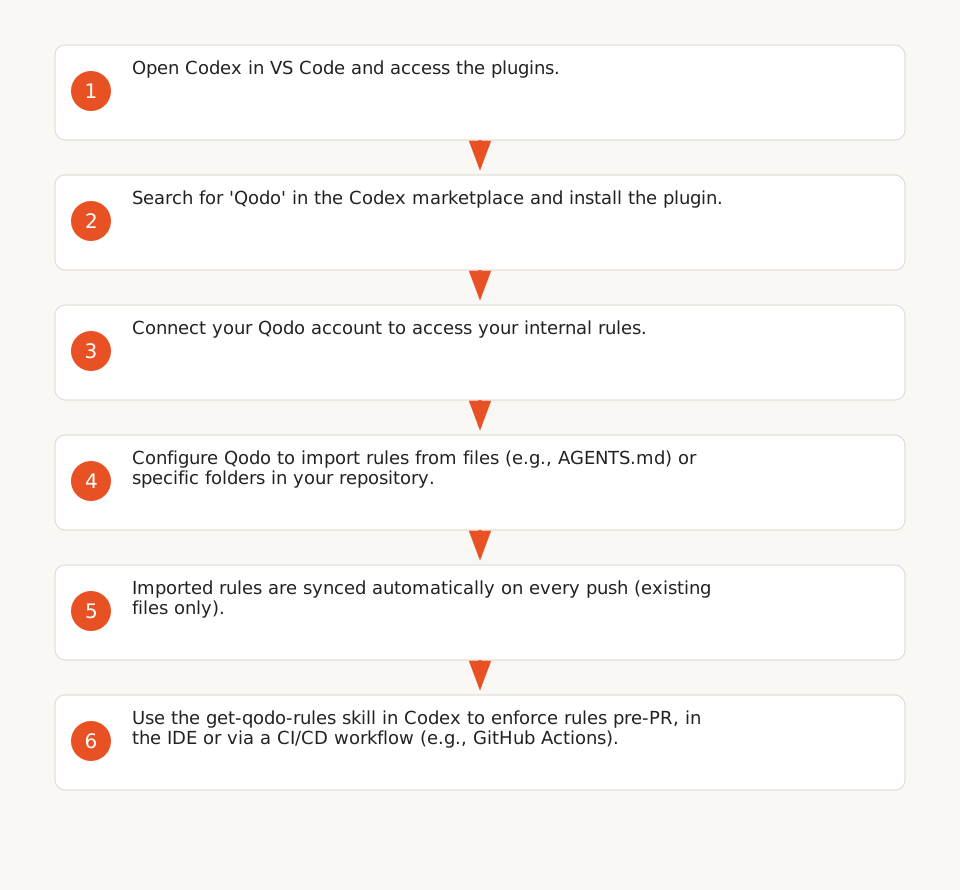
The Qodo plugin extends Codex with code review capabilities and an understanding of your company’s standards (F9). Here’s how to activate it:
- Open Codex in VS Code: Launch the Codex extension from the VS Code sidebar.
- Access plugins: Click Plugins in the left navigation bar.
- Search and install Qodo: Type
Qodoin the search bar, then click+to add it (F1). - Connect your Qodo account: A prompt will ask you to authenticate with your Qodo credentials (required to access your internal rules).
Note: The plugin is available as a verified plugin on the Codex marketplace (F9).
2. Import Your Internal Rules into Qodo
Qodo enforces your coding conventions through rules, defined as explicit and enforceable engineering standards (F2). Here’s how to configure them:
2.1. Configure Import Sources
Qodo automatically syncs rules from specific files or folders in your repository. Here’s how to define them:
- Log in to the Qodo portal: Go to
Configurations > Context > Review standards > Rule import. - Add source files: Under Rule files, Qodo lists supported files by default (e.g.,
AGENTS.md,best_practices.md,RULE.md,pr_compliance_checklist.yaml) (F4). You can add your own file names. - Add source folders: Under Rule folders, specify folders to treat as rule sources (e.g.,
/docs/rules). All files in these folders will be imported (F4). - Define import instructions: Under Rule import instructions, add free-text guidelines to steer rule extraction (e.g., "Extract only critical rules") (F5).
- Save changes: Click Save changes to apply the configuration.
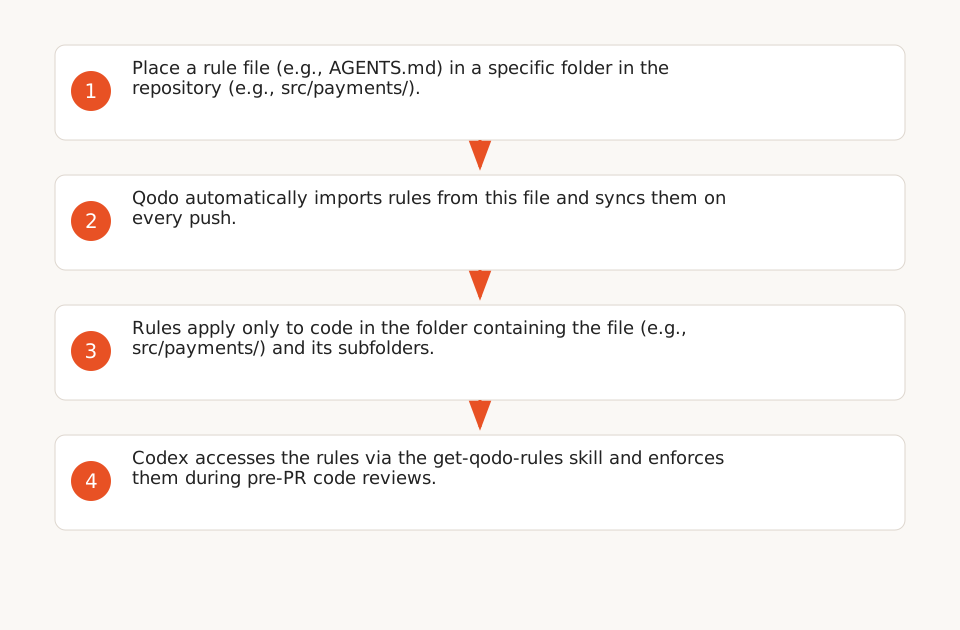
Example: If you place an AGENTS.md file in src/payments/, the rules it contains will apply only to code in src/payments/ and its subfolders (F4).
2.2. Generate and Activate Rules
You can also create rules manually from the Qodo portal:
- Generate a rule: From the Rules tab, click Generate and describe the rule in natural language (e.g., "Ban SQL queries concatenated with user input") (F3).
- Check for conflicts: Qodo automatically checks for conflicts, duplicates, or overlapping scopes before activation (F3).
- Activate the rule: Click Accept & activate. For organizations created before September 30, 2026, rules appear in the Pending rules tab for validation (F6).
- Lock critical rules: To prevent Qodo from automatically deactivating a rule (e.g., banning
console.login production), select Active with the lock icon (F11). Example: banconsole.login production (if the rule is locked).
2.3. Automatic Sync and Limits
- Continuous sync: Qodo monitors already imported files and updates rules on every push (F4). Changes to existing files are synced automatically; new files require manual re-import.
- New files: Files added after the initial import are not automatically detected. Manual re-import of the repository is required via Import rules and skills (F12).
3. Apply Rules Pre-PR with Codex
The get-qodo-rules skill lets Codex access your Qodo rules directly and apply them in your IDE or CI/CD pipeline (F7). Here’s how to use it:
3.1. Configure the Skill in Codex
- Enable the skill: In Codex, search for the
get-qodo-rulesskill and activate it. - Provide your Qodo API key: The skill requires a Qodo API key to access your rules (F8).
- Load rules: Use the command
@qodo get-rulesin Codex to load the rules applicable to your repository or specific path.
3.2. Concrete Example: FastAPI Repository
Take a FastAPI repository where you want to ban non-parameterized SQL queries. Here’s how to proceed:
- Create an
RULE.mdfile in thesrc/database/folder with the following content:# Rule: Ban Non-Parameterized SQL Queries - **Description**: SQL queries concatenated with user input are forbidden to prevent SQL injection. - **Violation Example**: `cursor.execute("SELECT * FROM users WHERE name = '" + user_input + "'")` - **Compliant Example**: `cursor.execute("SELECT * FROM users WHERE name = ?", (user_input,))` - **Severity**: Critical - Import the file into Qodo: As described in 2.1, configure Qodo to import
RULE.mdfromsrc/database/. - Apply the rule in Codex: In VS Code, open a Python file in
src/database/and use the command@qodo reviewto run a code review. Codex will flag any rule violations.
3.3. CI/CD Integration (GitHub Actions)
Example workflow to enforce rules before opening a PR:
name: Qodo Codex Pre-PR Review
on: [push]

jobs:
  qodo-review:
    runs-on: ubuntu-latest
    steps:
      - uses: actions/checkout@v4
      - name: Run Qodo Codex Review
        run: |
          # Load Qodo rules into Codex
          curl -X POST "https://api.qodo.ai/v1/rules/fetch" \
            -H "Authorization: Bearer ${{ secrets.QODO_API_KEY }}" \
            -H "Content-Type: application/json" \
            -d '{"repo": "${{ github.repository }}", "path": "${{ github.workspace }}"}' \
            -o qodo_rules.json

          # Run a code review with Codex
          codex review --rules qodo_rules.json --output qodo_report.json
      - name: Upload Qodo Report
        uses: actions/upload-artifact@v3
        with:
          name: qodo-report
          path: qodo_report.json
Note: This workflow requires Codex to be configured to use the get-qodo-rules skill and the Qodo API to be accessible via a valid key (F8).
4. Scope and Limits of Detection
Qodo + Codex automates rule violation detection but with key limitations:
4.1. What Qodo Detects
- Coding conventions: Compliance with standards defined in your imported files (e.g., code structure, best practices) (F2).
- Locked critical rules: Standards like banning
console.login production, if the rule is locked (F11). - Contextual scope: Rules apply only to specified files or folders (e.g., rules in
src/payments/don’t apply tosrc/auth/) (F4).
4.2. What Qodo Doesn’t Automatically Detect
- Critical issues not covered by your rules: Qodo only detects issues explicitly described in your rules. For example, a critical standard violation won’t be detected if no rule prohibits it (limitations).
- New files: Files added after the initial import require manual re-import (F12).
- False positives/negatives: Like any code review tool, Qodo may generate false positives (e.g., flagging a parameterized SQL query as non-compliant) or false negatives (e.g., missing a poorly defined rule violation).
5. Useful Resources
- No-code automation: Make, Zapier, n8n: Automate other aspects of your DevOps workflow.
- Automate DevOps Monitoring with n8n: Centralize GitHub and Docker Hub alerts.
- AI Expertise for Business Apps: Learn how to integrate AI into your internal tools.