
Why Choose n8n for Workflow Automation?
n8n stands out with its fair-code license (F1), allowing free use while permitting code modifications. Unlike solutions like Zapier or Make, n8n integrates with business tools and AI services, per its official documentation (F3). This makes it a strong choice for SMEs looking to automate processes while maintaining control over data and infrastructure.
The official documentation does not mention any features related to payments or ChatGPT Wallet (F1, F2). If your needs include financial transactions, pair n8n with a dedicated tool (e.g., Stripe, PayPal) and configure additional safeguards.
Technical Prerequisites for Deploying n8n
Before setting up n8n, verify these elements:
- Server: n8n can be deployed locally (Docker) or in the cloud (AWS, GCP). The documentation recommends at least 2 GB of RAM for basic workflows in a local environment (F1).
- API Access: Identify the tools to connect (e.g., CRM, ERP, AI tools) and retrieve their API keys or authentication tokens. n8n provides native connectors for hundreds of applications (F2).
- Skills: Basic knowledge of API concepts (webhooks, HTTP requests) is helpful, but n8n allows building workflows via a visual interface (F2).
Checklist for Configuring n8n with Technical Safeguards
This checklist is based on best practices documented in the official n8n documentation (F1, F2). A template example automates part of the validation process.
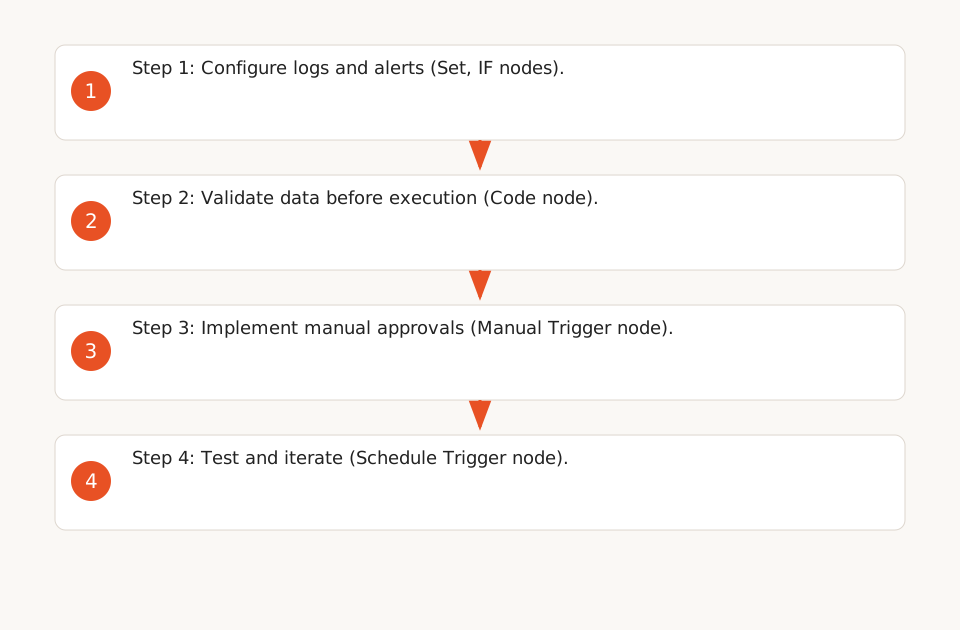
1. Configure Logs and Alerts
- Enable Detailed Logging: n8n allows logging each step of a workflow (F1). Configure logs to capture errors, input/output data, and execution times. Example: A "Set" node records data in a variable before each critical step.
- Set Alert Thresholds: Use "IF" nodes to trigger alerts (email, Slack) if a workflow exceeds a predefined execution time or if data is missing. Example: An alert is triggered if an API request fails multiple times.
2. Validate Data Before Execution
- Check Data Formats: Before processing data (e.g., email, amount), use a "Code" node to validate its format. Example: Verify that an email contains an "@" and a valid domain.
- Limit Outliers: For numerical data (e.g., prices, quantities), define acceptable ranges. Example: Block a workflow if an amount exceeds a predefined threshold without manual approval.
3. Implement Manual Approvals
- Add Approval Steps: For critical workflows (e.g., sending emails, updating databases), use a "Manual Trigger" node to require human validation. Example: Send a Slack notification to a manager before finalizing an action.
- Document Approvers: A "Set" node records the approver’s name and the timestamp of the action.
4. Test and Iterate
- Run Tests in a Staging Environment: Before deploying a workflow in production, test it in an isolated environment. n8n allows duplicating and modifying workflows without affecting the live version (F2).
- Schedule Regular Reviews: Workflows should be reviewed quarterly to ensure they remain aligned with business processes. Example: A "Schedule Trigger" node reminds you of this review.
n8n Template Example
A template can automate the checks described in the checklist. Here’s how to adapt it:
- Download a template example from a GitHub repository (illustrative example).
- Import it into n8n via the "Workflows" > "Import" interface.
- Adapt the nodes to your company’s tools (e.g., replace "Slack" with "Teams").
The template covers:
- Validation of input data (format, value ranges).
- Alerts for failures (email/Slack).
- Manual approvals for critical actions.
- Detailed logs for debugging.
Limitations and Alternatives to n8n
Key limitations of n8n include:
- No Native Payment Module: n8n does not handle financial transactions (F1, F2). To integrate payments, combine it with a tool like Stripe or PayPal and use webhooks to sync data.
- Complexity for Advanced Workflows: Workflows with more than 20 nodes can become hard to maintain. Consider splitting them into sub-workflows or using a tool like Make for simpler automations.
- Ancillary Costs: While n8n is free for self-hosting, costs can rise with cloud services (e.g., AWS) or third-party APIs (e.g., OpenAI). Budget for these expenses.
Next Steps
To explore n8n further:
- Read our guide on deploying n8n locally with NVIDIA DGX Spark if you want to avoid the cloud.
- Learn how to prevent duplicates in your workflows with our template example.
- Explore our no-code automation hub for more tools and use cases.