
Versioning Strategies: URI vs. Header vs. Date-Based
Major providers document three main approaches for managing API versions. Their choice impacts the maintenance and stability of your automated workflows:
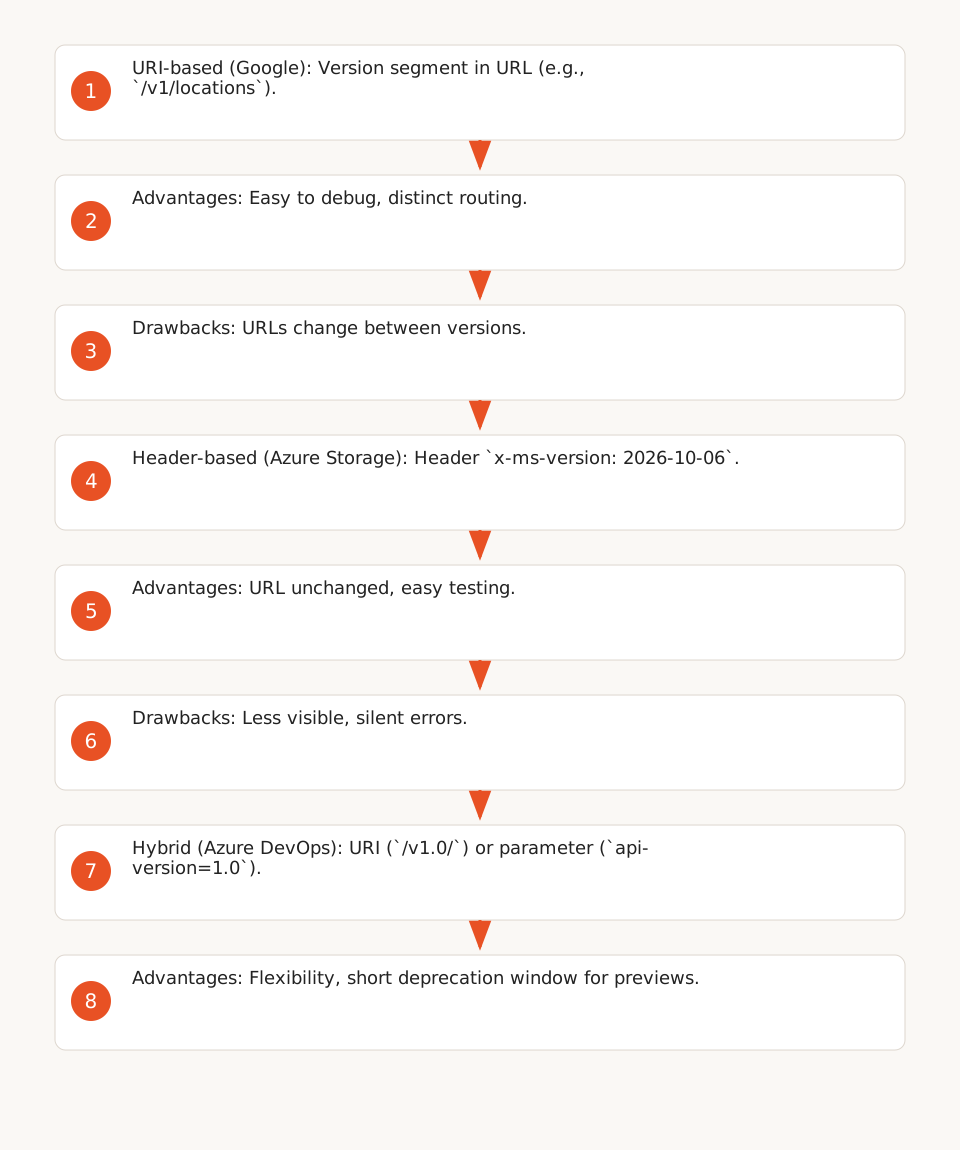
1. URI-Based Versioning (Google)
Google uses a version segment in the URL, for example:
https://mybusiness.googleapis.com/v1/locations(stable version, F1).https://mybusiness.googleapis.com/v1alpha/locations(alpha channel, F3).
Advantages:
- Easy to implement and debug: the version is visible in the URL.
- Allows routing requests to distinct endpoints (e.g.,
v1vs.v2).
Drawbacks:
- URLs change between versions, which can break workflows if links aren’t updated.
- Alpha channels (e.g.,
v1alpha) have no stability commitment and can be modified or removed with 30 days’ notice (F3).
Stability Policy (F2):
- Stable versions (
v1,v2) only receive backward-compatible changes (new fields, methods, or enum values). - A stable version remains available 12 months after its deprecation announcement.
- Google recommends making clients tolerant to unknown fields (F4).
2. Header or Query Parameter Versioning (Microsoft Azure)
Azure uses two formats depending on the service:
- HTTP Header:
x-ms-version: 2026-10-06(Azure Storage, F5). Illustrative example based on the documented format (YYYY-MM-DD), verify for your region. - Query Parameter:
?api-version=2020-01-01(general Azure services, F10).
Advantages:
- The URL remains unchanged between versions, simplifying migrations.
- Allows testing a new version without modifying code (by changing only the header).
Drawbacks:
- Less visible than URI: a missing header can cause silent errors.
- Preview versions (e.g.,
2026-10-06-preview) can be removed as early as 90 days after a new version is released (F12).
Stability Policy:
- Azure Storage: Stable versions remain available indefinitely, even after new versions are deployed (F7).
- General Azure services: Stable versions are maintained for at least 3 years after a breaking change version is released (F11).
- Azure DevOps: Uses a hybrid format (
/v1.0/orapi-version=1.0) with a 12-week deprecation window for preview versions (F9).
3. Date-Based Versioning (Azure Storage)
Azure Storage requires the x-ms-version header for authorized requests (F6), with a date format (e.g., 2026-10-06). Illustrative example based on the documented format, verify for your region.
Use Case:
- Ideal for services with frequent but backward-compatible updates (e.g., file storage).
- Previous versions remain available even after a new version is deployed (F7).
Example Request:
GET https://myaccount.blob.core.windows.net/mycontainer/myblob
x-ms-version: 2026-10-06
How to Choose a Strategy for Your Workflows
The choice depends on three criteria:
- Required Stability: For critical workflows (e.g., payments), prioritize a stable version with a long deprecation window (12 months or 3 years).
- Update Frequency: If the API evolves often (e.g., AI APIs), header-based versioning allows testing new versions without breaking existing workflows.
- Migration Complexity: URI-based versioning simplifies debugging but requires updating URLs in workflows.
Recommendations by Scenario
| Scenario | Recommended Strategy | Example API | Why | Risk to Avoid |
|---|---|---|---|---|
| Critical workflow (e.g., billing) | Stable version in URI or header | Google My Business v1, Azure Storage 2026-10-06 |
Stability guaranteed for 12 months (Google) or 3 years (Azure) | Using an alpha/preview version |
| Workflow with frequent updates (e.g., data sync) | Header or query parameter | Azure DevOps api-version=1.0 |
URL unchanged, easy to test new versions | Forgetting to specify the version in the header |
| Development workflow (testing) | Preview version (with migration notice) | Google v1alpha, Azure 2026-10-06-preview |
Early access to features | Leaving a preview version in production |
Decision Tree for Choosing Your Strategy
Critical workflow?
├── Yes → Use a stable version (URI or header) with long deprecation (12 months/3 years)
│           ├── Google: v1, v2
│           └── Azure: 2026-10-06 (Storage), api-version=2020-01-01 (general services)
└── No
    ├── Frequent updates?
    │   ├── Yes → Header/query parameter (Azure DevOps, general services)
    │   └── No → URI for easier debugging (Google)
n8n Template to Test Compatibility Before Migrating
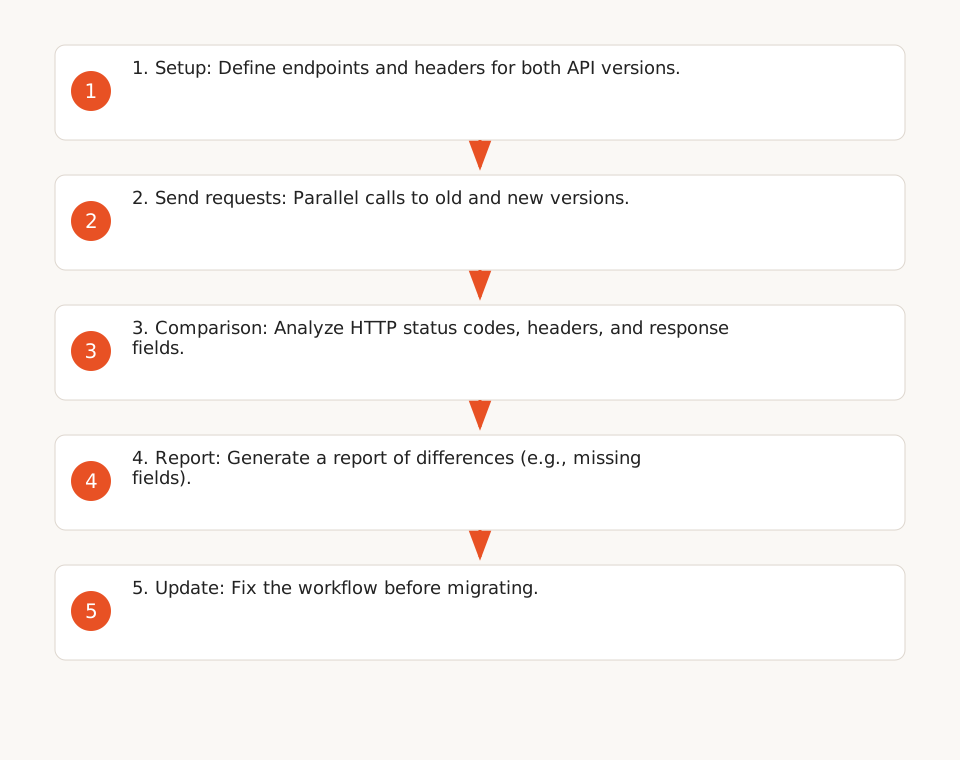
Before migrating a workflow to a new API version, test its compatibility with this n8n template. It simulates calls to both versions and compares responses to detect differences.
Template Features
- Sends parallel requests to both API versions.
- Compares HTTP status codes, headers, and critical response fields.
- Generates a report of differences (e.g., missing fields, new required fields).
- Supports APIs with URI-based or header-based versioning.
How to Use It
- Contact the Keerok team to access the template (internal resource).
- Configure the endpoints and headers for both API versions.
- Run the workflow and analyze the compatibility report.
- If differences are detected, update your workflow before migrating.
Example Generated Report
Hypothetical example of a report generated by the template.
Compatibility Report - API Version Test
-------------------------------------
Endpoint: https://api.example.com/v1/users vs https://api.example.com/v2/users

Differences found:
- Field 'last_login' (type: string) → Missing in v2
- Field 'preferences.notifications' (type: boolean) → New required field in v2
- HTTP Status: 200 (v1) vs 200 (v2)
- Header 'X-RateLimit-Limit': 1000 (v1) vs 5000 (v2)

Recommendation: Update workflow to handle missing 'last_login' and add 'preferences.notifications'.
Handling Deprecations: Standards and Best Practices
Providers can announce deprecations via HTTP standards like RFC 8594 (Sunset) and RFC 9745 (Deprecation). These headers help plan migrations, but their adoption by Google and Azure is not confirmed in the reviewed official sources (see limitations).
Standard Headers for Deprecations
- RFC 8594 (Sunset): Indicates the removal date of an API or version.
Example:Sunset: Wed, 26 Oct 2027 00:00:00 GMT - RFC 9745 (Deprecation): Signals that a resource is deprecated, with a link to documentation.
Example:Deprecation: true+Link: <https://docs.example.com/deprecation>; rel="deprecation"
How to Use Them in Your Workflows
- Check the headers: Add a step in n8n to extract and log
SunsetandDeprecationheaders. - Plan the migration: If a
Sunsetheader is present, trigger a migration workflow before the deadline. - Document changes: Use the links in the
Linkheader to update your internal documentation.
Limitation: Not all providers implement these headers. Always check the official documentation in parallel.
Checklist for a Smooth Migration
Before migrating a workflow to a new API version, follow this checklist:
- Verify the provider’s deprecation policy: Support window, notice period, and documentation of changes (e.g., Google Deprecation Schedule).
- Test compatibility: Use the n8n template above to compare responses from both versions.
- Update workflows: Modify URLs, headers, or request parameters based on the versioning strategy.
- Implement fallbacks: If the new version fails, plan a rollback to the old version (with a retry delay).
- Monitor errors: Set up alerts in n8n or Make to detect failures after migration.
- Document changes: Update your internal documentation (e.g., Confluence, Notion) with new URLs, fields, and migration procedures.
Limitations and Best Practices
What the Sources Don’t Cover
- Other providers: AWS, Stripe, or Salesforce have their own strategies (not documented here).
- Open-source frameworks: Tools like FastAPI or Django REST Framework offer versioning solutions, but their stability policies differ.
- Performance benchmark: The sources don’t compare latency or throughput between strategies.
- Adoption of RFC 8594/9745: While these standards exist, their implementation by Google and Azure is not confirmed in the provided extracts.
Best Practices for Your Workflows
- Avoid alpha/preview versions in production: Even if they offer advanced features, their instability can break your workflows (F3, F12).
- Centralize version management: Use variables in n8n or Make to store API versions and update them in one place. Learn more about no-code automation.
- Automate compatibility tests: Integrate the n8n template into your CI/CD pipeline to validate migrations before deployment.
- Monitor provider announcements: Subscribe to technical blogs (e.g., n8n blog) and newsletters for the APIs you use.