What GRC Platforms Automate for SOC 2
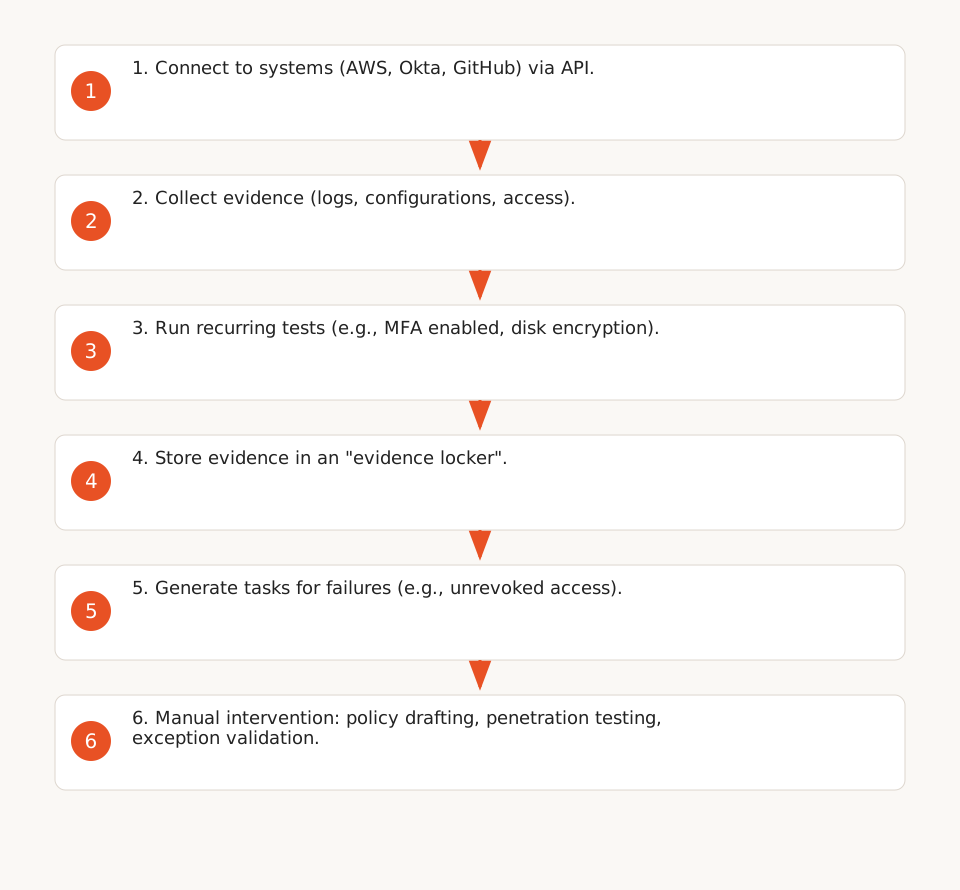
GRC platforms (e.g., Vanta, Drata, Secureframe) connect to your existing systems (AWS, Okta, GitHub) via APIs to:
- Collect evidence: log exports, configuration screenshots, or access reports (F1).
- Run recurring tests on a published schedule (e.g., Vanta tests some configurations hourly, Drata daily at 7:00 PM PST) (F4).
- Store evidence in an "evidence locker" and generate tasks for failures (e.g., an access not revoked after an employee departure) (F2).
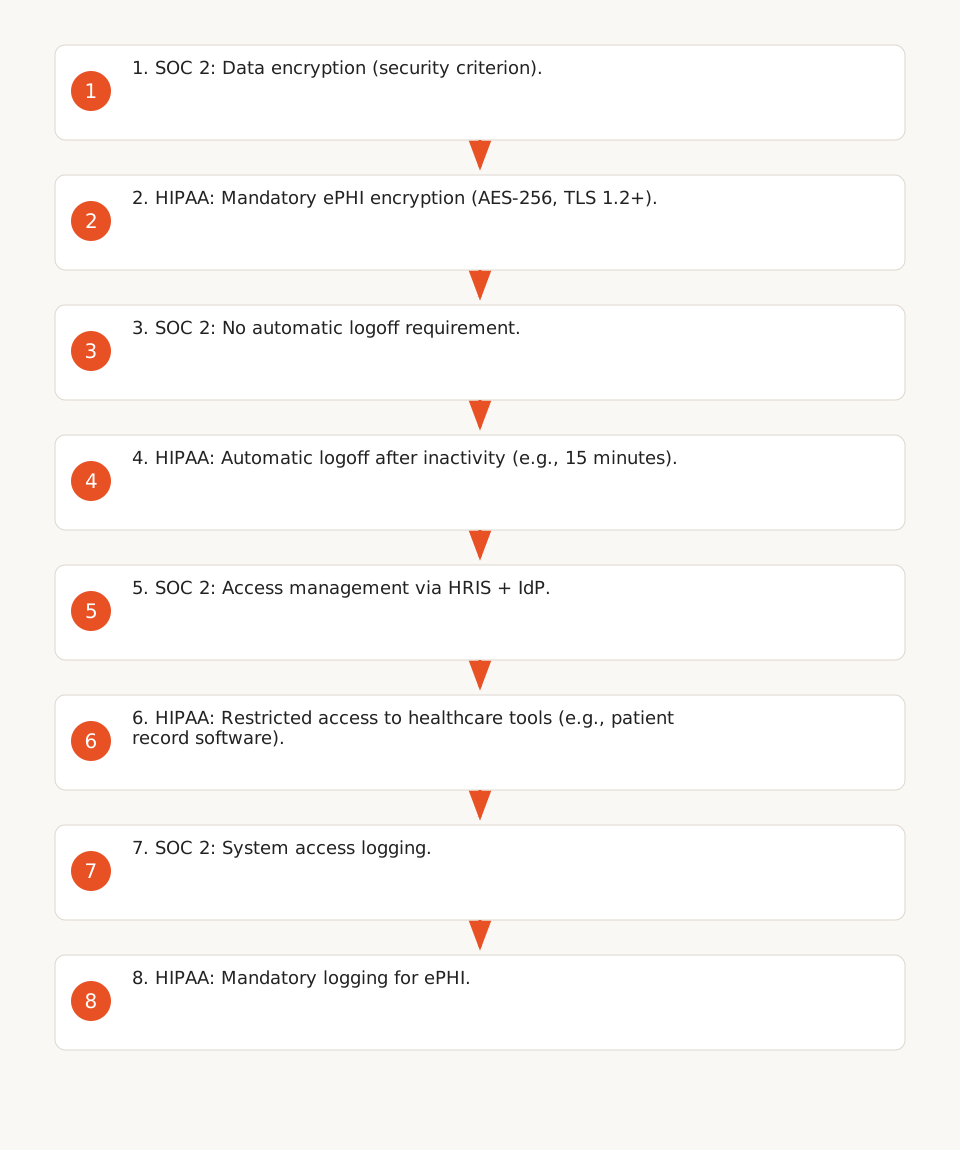
These platforms primarily cover SOC 2 criteria related to security, availability, and confidentiality (F5):
| Feature | Example of Automated Test | Limitation |
|---|---|---|
| Access Controls (CC6.1) | Verification that access is revoked in Okta/AWS after an employee departure (via HRIS + IdP) (F5). | Does not cover systems without an API connector (e.g., an internal telemedicine tool) (F9). |
| Data Encryption | Verification that AWS disks are encrypted with AES-256 (F5). | Does not configure encryption for ePHI in unconnected tools (F9). |
| Logging (CC7.2) | Collection of CloudTrail logs for database access (F5). | Does not guarantee logs capture all events required by the auditor (F6). |
Caution: Test intervals (e.g., hourly for Vanta) are vendor-declared and not independently audited (F4). Auditors systematically compare this evidence to source logs (e.g., AWS CloudTrail) and may reject incomplete evidence (F6).
What Remains Manual for SOC 2
Even with a GRC platform, some tasks require human intervention (F5):
- Policy drafting: Provided templates must be adapted to your organization (e.g., access management policy for contractors).
- Penetration testing: Platforms ingest scan results but do not execute them (F5).
- Unique risk assessment: Example: A Make.com workflow exporting data to an Excel spreadsheet must be documented manually (F6).
- Exception validation: Temporary access to a critical tool must be approved and documented (F2).
HIPAA: What’s Different from SOC 2
HIPAA introduces additional requirements for electronic protected health information (ePHI), absent from SOC 2 (F7):
| HIPAA Requirement | Concrete Example | Automatable? |
|---|---|---|
| ePHI Encryption | ePHI must be encrypted at rest (AES-256) and in transit (TLS 1.2+) (F7). | ❌ Platforms verify encryption but do not configure it in your tools (F9). |
| Automatic Logoff | Workstations exposed to ePHI must log off after a period of inactivity (common example: 15 minutes) (F7). | ❌ Platforms do not configure this setting in your tools (e.g., a telemedicine software like Doxy.me) (F9). |
| Restricted Access to Healthcare Tools | Only authorized employees should access patient record software (e.g., Epic, Cerner) (F7). | ⚠️ Partially: Platforms sync access between HRIS and IdP but do not cover unconnected tools (F9). |
Use Case: If your automated workflows process ePHI (e.g., a Make.com scenario extracting data from an EHR like Epic), you must:
- Manually document these accesses in your security policy (F9).
- Verify that encryption and automatic logoff are configured in the relevant tools (F7).
- Train your employees on ePHI management (F8).
Preparing Evidence for an Audit
SOC 2 and HIPAA auditors expect complete and traceable evidence. Here’s a checklist of items to prepare, with expected sources (F6, F10):
| Evidence | Expected Format | Source |
|---|---|---|
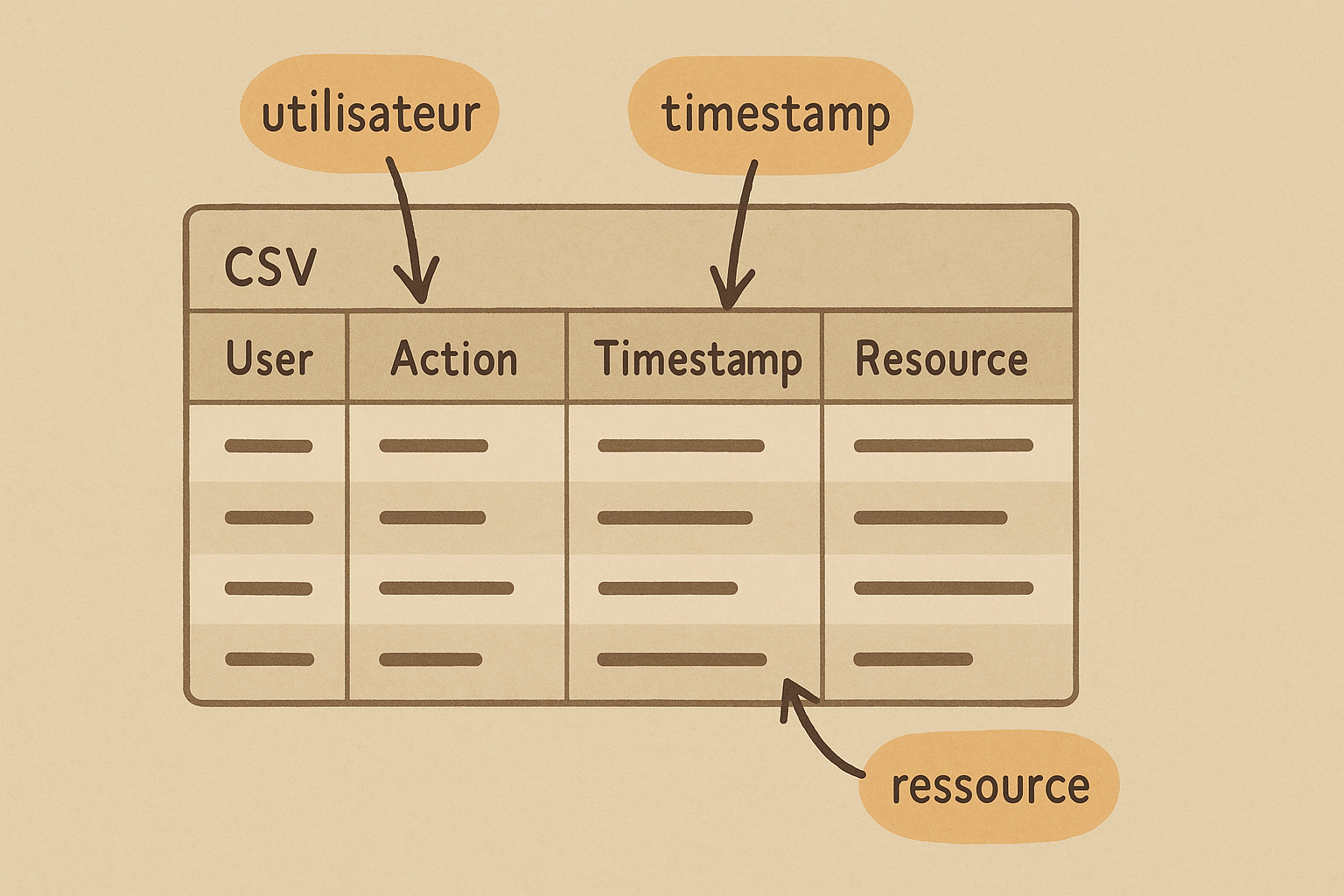
| System Access Logs | CSV export of logs (e.g., AWS CloudTrail, Okta System Log). | GRC platform or source system (F6). |
| Security Configurations | Screenshots of settings (e.g., MFA enabled in Okta, AES-256 encryption in AWS). | GRC platform or source tool (F5). |
| Security Policy | Signed and dated document (e.g., access management policy, incident response procedure). | Internal document (F10). |
| Training Records | Security training certificates (e.g., HIPAA modules for employees). | LMS or GRC platform (F5). |
| Incident Log | Export of security incidents (e.g., unauthorized access, data breach). | Ticketing tool (e.g., Jira) or GRC platform (F8). |
Security Policy Template (Markdown format):
# Security Policy for Automated Workflows

## 1. Purpose
This policy defines security measures for automated workflows processing sensitive data (SOC 2, HIPAA).

## 2. Scope
Applies to all employees, contractors, and tools used to automate processes (e.g., Make.com, Zapier, n8n).

## 3. Security Measures

### 3.1 Access Control
- Access to workflow tools is managed via an IdP (e.g., Okta) and revoked within 24 hours of an employee departure (F5).
- Generic accounts (e.g., "admin@company.com") are prohibited.

### 3.2 Encryption
- Sensitive data is encrypted at rest (AES-256) and in transit (TLS 1.2+) (F7).
- ePHI is stored only in HIPAA-compliant tools (e.g., AWS with encryption enabled).

### 3.3 Logging
- All workflow access is logged and retained for 1 year (F6).
- Logs include: user, action, timestamp, and affected system.

### 3.4 Automatic Logoff
- Inactive sessions on workstations exposed to ePHI are terminated after 15 minutes (F7).

## 4. Responsibilities
- **IT Team**: Tool configuration and access management.
- **Workflow Owners**: Process documentation and incident reporting.

## 5. Review
This policy is reviewed annually or after a major change (e.g., new tool, security incident).

*Last updated: [DATE]*
Note: This template must be adapted to your specific tools and risks. For example, if you use a telemedicine tool not connected to your IdP, add a dedicated section for managing its access (F9).
Limitations of Automated Solutions
GRC platforms simplify audit preparation but present risks if misused:
- Incomplete Evidence: A platform may report all controls as compliant, but if AWS logs don’t capture customer database access, the auditor will reject the evidence (inspired by F6).
- False Sense of Security: Automated tests do not replace penetration testing or manual code reviews (F5).
- Connector Dependency: If a critical tool (e.g., patient record software) lacks an API connector, its access must be documented manually (F9).
Recommendation: For each automated piece of evidence, verify it matches source logs (e.g., AWS CloudTrail, Okta System Log). If not, manually document the reason and provide alternative evidence (F6).
What About GDPR?
GDPR shares common requirements with SOC 2 and HIPAA (e.g., encryption, access management) but introduces additional obligations:
- Data Protection Impact Assessment (DPIA): Mandatory for high-risk processing (e.g., health data, profiling) (not covered by SOC 2/HIPAA GRC platforms).
- Right to Erasure: Workflows must allow personal data deletion upon request (F7).
- Breach Notification: 72-hour deadline to report data leaks to the supervisory authority (F8).
Solution: For GDPR, combine a GRC platform with a dedicated tool (e.g., OneTrust, TrustArc) and manually document DPIAs for your automated workflows.
Further Reading
- Guide: Implementing AI in Regulated Environments (SOC 2, HIPAA) – How to secure AI models and document compliance.
- GRC Platform Comparison for SOC 2 (F1) – Test coverage and remaining manual work by vendor.
- HIPAA Checklist (F7) – Detailed requirements for healthcare data.