
Why Automate with Make.com and OpenAI in 2026?
Make.com now integrates GPT-5.5, OpenAI’s model designed for multi-step workflows and long-document processing (up to 1 million tokens). According to OpenAI, GPT-5.5 reduces hallucinations and improves output reliability, making it suitable for tasks like contract analysis or report generation (F1, F2).
Key Features Available in Make.com
- Long Context: Process multi-page documents or complete datasets in a single request (F1).
- Reliable Tool Use: GPT-5.5 selects and chains tools (Make.com modules) with fewer errors than previous versions (F1).
- Skills: Create reusable instruction sets to standardize model responses (F5, F7).
5 Advanced Integrations with Make.com and OpenAI
The examples below illustrate possible scenarios based on recent features. No client deployments are attested in the sources, but these workflows leverage the documented capabilities of GPT-5.5 and *Skills*.
1. Automated Contract Processing
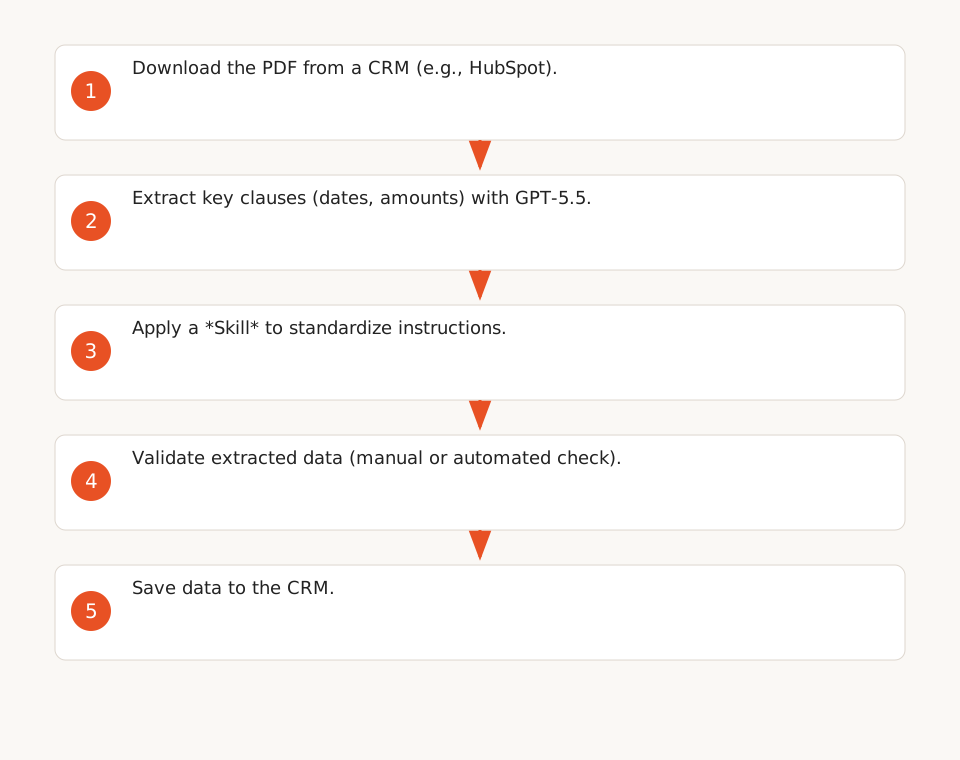
A Make.com scenario extracts key clauses from a PDF (dates, amounts, obligations) and saves them to a CRM like HubSpot or Salesforce. GPT-5.5 handles multi-page documents without losing context, and *Skills* standardize instructions to avoid interpretation errors (F5, F7).
- Potential Benefit: Reduction in manual data extraction time (validate with your data).
- Pitfall: Token costs can rise if prompts include unnecessary pages or redundant instructions.
2. Intelligent Customer Support
A workflow sorts incoming emails, identifies urgent requests (complaints, technical questions), and generates personalized responses via GPT-5.5. *Skills* ensure tone and information remain consistent with company guidelines (F5).
- Potential Benefit: Improved support responsiveness (OpenAI rate limits may impact demand spikes, F10, F11).
- Pitfall: Rate limits (requests/minute or tokens/minute) can block the workflow during peaks.
3. Financial Report Generation
A Make.com scenario:
- Retrieves data from Google Sheets or Airtable.
- Analyzes trends with GPT-5.5 (margin calculations, anomaly detection).
- Generates a report in Markdown or PDF and emails it.
Key Points:
- GPT-5.5’s long context allows processing entire datasets in a single request (F1).
- *Skills* ensure calculations follow consistent rules (F5).
4. HR Task Automation
A Make.com scenario analyzes resumes in PDF or Word format, extracts key skills, and compares them to a job description to identify relevant candidates. GPT-5.5 handles long context for detailed resumes, and *Skills* standardize evaluation criteria (F1, F5).
- Potential Benefit: Reduced time for candidate pre-selection.
- Pitfall: AI model biases may influence results (test with your data).
5. Automated Competitive Intelligence
A Make.com scenario monitors news sources (RSS, websites), extracts relevant competitor information, and generates a daily summary sent via email. GPT-5.5 analyzes long articles, and *Skills* ensure summaries follow a standard format (F1, F5).
- Potential Benefit: Time savings for information collection and analysis.
- Pitfall: Token costs may increase if articles are long or numerous.
How to Avoid Technical Pitfalls
1. Managing OpenAI Rate Limits
OpenAI enforces requests per minute (RPM) and tokens per minute (TPM) limits based on the model and payment tier (Build, Launch, Grow). Thresholds vary by model (F10, F11).
Strategies in Make.com:
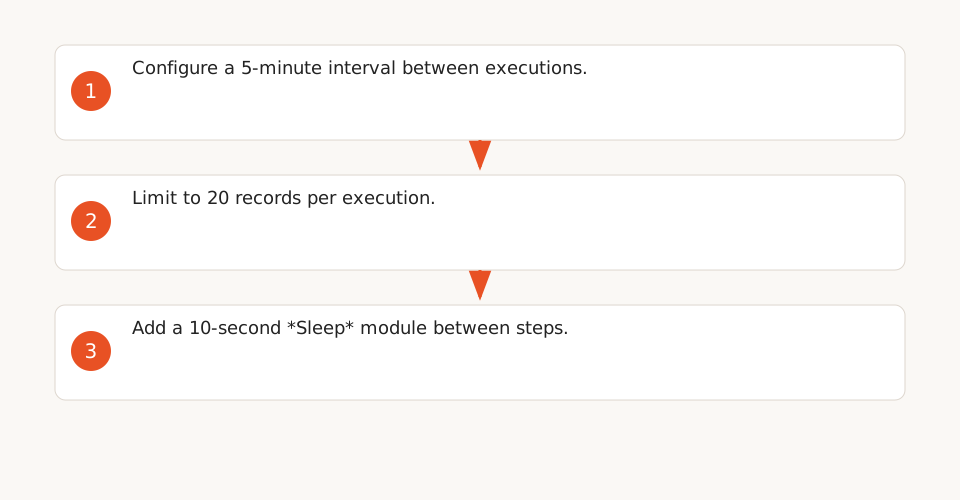
- Space out executions: Configure a 5-minute interval between scheduled runs (F12).
- Limit records per run: Process 20 emails or contracts per execution to avoid exceeding limits (F12).
- Use *Sleep* modules: Add 10-second delays between steps to smooth the load (F12).
2. Migrating from Legacy OpenAI Models
Models like gpt-3.5-turbo or babbage-002 will be deprecated by September 28, 2026. Make.com scenarios using these models will stop working after this date (F8, F9).
- Solution: Replace them with gpt-5-mini or gpt-4.1-mini, which are more reliable and token-efficient (F9).
3. Optimizing Token Costs
GPT-5.5 is more output-efficient than GPT-5.4 according to OpenAI (fewer tokens for the same output), but costs remain significant for frequent workflows (F2).
- Tip: Use *Skills* to reuse optimized instructions and reduce prompt size (F5, F7).
Checklist for Reliable Automations
- Ensure your scenarios do not use deprecated models (e.g., gpt-3.5-turbo).
- Optimize prompts with *Skills* to reduce token costs.
- Test rate limits with your data to validate thresholds (F12).
- Schedule migrations before 09/28/2026 to avoid interruptions.
Alternatives to Make.com
If Make.com’s limitations (e.g., lack of advanced conditional nodes) are blocking, tools like n8n or Zapier offer more flexibility. However, Make.com provides dedicated OpenAI modules (F3), which may simplify complex integrations.
Limitations and Risks
- Dependency on OpenAI: Rate limits depend on the payment tier (F10, F11) and may be adjusted by OpenAI.
- Workflow Complexity: Multi-step scenarios require rigorous testing to avoid cascading errors.
- Sensitive Data: Avoid sending confidential information to OpenAI without encryption or anonymization.
For more, check our no-code automation guide or our Make.com beginner tutorial.