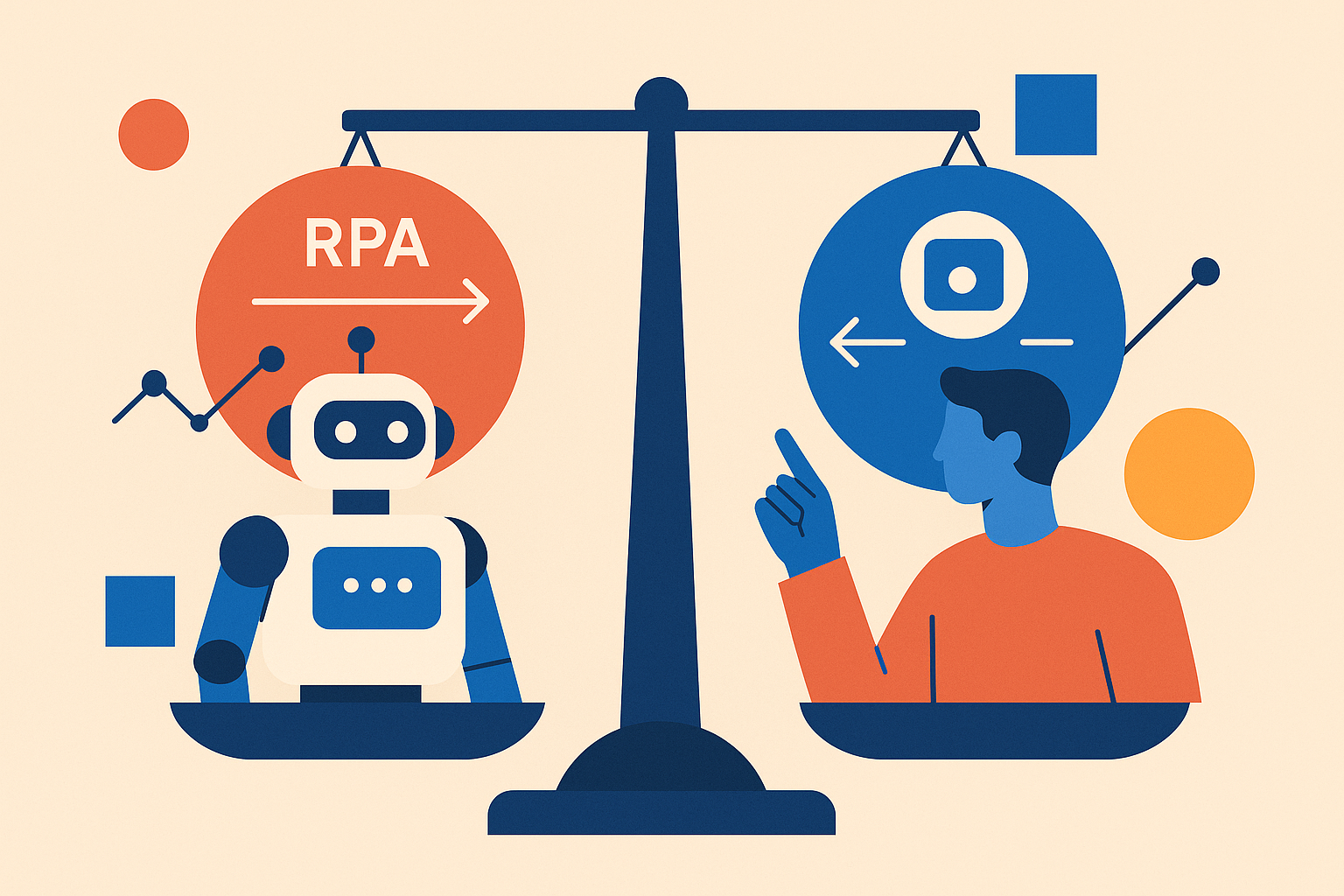
Understanding the Fundamentals: RPA and No-Code in 2026
Before choosing between RPA and no-code automation, it's critical to understand what each approach offers and where they excel.
What is RPA (Robotic Process Automation)?
RPA refers to software robots that mimic human interactions with digital systems. These bots can:
- Interact with legacy applications lacking APIs (ERP systems, mainframes, Citrix environments)
- Perform screen scraping and optical character recognition (OCR) to extract data
- Execute complex, multi-step workflows across disparate systems
- Operate 24/7 with near-perfect accuracy and consistency
- Scale to handle thousands of transactions per hour
Enterprise RPA platforms like UiPath, Automation Anywhere, and Blue Prism provide sophisticated development environments with centralized bot orchestration, analytics dashboards, and enterprise governance. According to Flobotics, RPA delivers 30-200% ROI in the first year, with fully scaled implementations achieving up to 300% returns.
RPA excels in scenarios requiring UI-level automation where APIs don't exist or are impractical to implement. A U.S. Federal Government program reduced 1.5 million labor hours through RPA-driven document processing automation, demonstrating the technology's capacity for high-volume, repetitive tasks.
What is No-Code Automation?
No-code platforms like Make (formerly Integromat), Zapier, and n8n enable users to build automations through visual interfaces without writing code. Key characteristics include:
- Pre-built connectors for 500+ SaaS applications (Slack, Google Workspace, Salesforce, Airtable, etc.)
- Trigger-action logic: "When X happens in App A, do Y in App B"
- Rapid deployment: automations can be built in minutes to hours
- Citizen developer empowerment: business users can create and maintain their own workflows
- Cloud-native architecture with built-in scalability
According to Gartner, 70% of new applications will be built using low-code or no-code platforms by 2025, up from less than 25% in 2020. This shift reflects businesses' need for agility and speed in an increasingly competitive landscape.
At Keerok, our automation expertise helps organizations navigate this complex landscape, selecting and implementing the right tools for their specific technical and business requirements.
Decision Framework: When to Choose RPA vs No-Code
The choice between RPA and no-code depends on multiple technical, organizational, and economic factors. Here's a practical decision framework based on real-world implementations.
Technical Complexity and IT Environment
Choose RPA when:
- You need to automate legacy systems without APIs (AS/400, mainframes, desktop applications)
- Your processes require advanced screen scraping, OCR, or computer vision capabilities
- You need complex orchestration with exception handling, conditional branching, and state management
- Your industry requires strict security and compliance controls (financial services, healthcare, government)
- You're targeting industrial-scale automation with hundreds or thousands of bot executions daily
- You need attended automation where bots work alongside human users
Choose No-Code when:
- Your applications have modern REST APIs or webhooks
- Your processes are relatively linear (trigger → actions → notifications)
- You prioritize speed to market (proof of concept in hours, not weeks)
- Your IT team is resource-constrained and you want to empower business users
- You're working with cloud-native SaaS applications
- Your initial budget is limited (freemium models available)
"60% of enterprises now adopt low-code or no-code RPA platforms, seeking the best of both worlds: RPA's power with no-code's agility." — Ramamtech, 2025
Budget and Economic Model
| Criterion | Traditional RPA | No-Code Platforms |
|---|---|---|
| License Cost | $20,000 - $200,000/year (bot-based pricing) | $0 - $2,500/month (tiered plans) |
| Implementation Cost | $40,000 - $250,000 (consultants, development) | $500 - $15,000 (training, setup) |
| Annual Maintenance | 20-30% of initial cost | Included in subscription |
| Time to ROI | 6-18 months | 1-3 months |
| 3-Year TCO | $200,000 - $600,000 | $25,000 - $100,000 |
For small to mid-sized businesses (50-500 employees), no-code platforms offer a lower barrier to entry. However, RPA can deliver superior ROI on high-volume processes. In the healthcare industry, RPA implementation reduced insurance verification processing time by 90%, with the sector projected to save $17.6 billion annually through RPA adoption.
Use Case Alignment: What Works Where?
Ideal RPA Use Cases:
- Finance & Accounting: Bank reconciliation, invoice processing (OCR + validation), financial close processes, regulatory reporting
- Human Resources: Employee onboarding (multi-system account creation), payroll processing, benefits administration
- Customer Service: CRM updates from emails, ticket generation, level-1 automated responses, data migration
- Supply Chain: Order tracking across vendors, inventory updates, shipping documentation, demand forecasting data aggregation
- IT Operations: User provisioning/deprovisioning, system monitoring, backup verification, patch management
Ideal No-Code Use Cases:
- Marketing Automation: CRM ↔ email platform sync, social media scheduling, lead enrichment, campaign reporting
- Sales Operations: Contact enrichment (third-party APIs), quote generation from forms, Slack notifications on deals, pipeline reporting
- Project Management: Tool synchronization (Notion/Airtable/Asana), simple approval workflows, status updates
- IT Support: Automated ticket creation, alert monitoring, cloud backup orchestration, documentation updates
- Data Operations: ETL for small to medium datasets, API integrations, webhook processing, scheduled data transfers
The key differentiator: RPA excels with UI-based automation and complex logic, while no-code dominates API-based integrations and rapid deployment scenarios.
2026 Trends: Hybrid RPA-No-Code and Generative AI Integration
The automation landscape is evolving toward convergence, making the binary RPA vs no-code choice increasingly obsolete.
The Rise of Low-Code RPA
Major RPA vendors are integrating low-code/no-code capabilities into their platforms:
- UiPath StudioX: Simplified interface for business users with pre-built templates
- Automation Anywhere Community Edition: Free version with visual bot builder
- Microsoft Power Automate: Fusion of desktop RPA + cloud no-code connectors
- Blue Prism Chorus: Low-code development with enterprise governance
This hybridization addresses a real need: 60% of enterprises now adopt RPA platforms with low-code or no-code components (Ramamtech, 2025), enabling "citizen developers" to build simple automations while IT handles complex workflows.
Generative AI Integration
The most significant 2026 trend is integrating generative AI with RPA to handle unstructured data:
- Document Understanding: Intelligent extraction from emails, PDFs, images beyond traditional OCR
- Contextual Decision-Making: Bots can now interpret natural language and adapt behavior dynamically
- End-to-End Automation: Orchestration of complete processes including cognitive steps
- Conversational Interfaces: Natural language bot configuration and monitoring
Platforms like n8n (open-source) and Make now include GPT-4, Claude, and Mistral nodes, enabling "intelligent automations" accessible to non-developers. Example workflow:
Trigger: New email arrives
1. Extract content using GPT-4
2. Classify intent (refund/support/sales)
3. Route to appropriate system
4. Generate personalized response
5. Update CRM with interaction
"The future of automation isn't RPA or no-code, but RPA + no-code + generative AI, orchestrated based on each process's complexity." — Keerok Analysis, 2026
Cloud-First and Enhanced Governance
Two structural shifts define 2026:
- Cloud Migration: Over 50% of new RPA deployments are cloud-based (SS&C Blue Prism), offering scalability and reduced infrastructure costs. Cloud RPA enables elastic scaling, pay-per-use pricing, and faster deployment.
- Governance and Compliance: With 78% of enterprises planning to increase automation usage (Avasant/Deloitte), security frameworks, audit trails, and access management become critical—especially in regulated industries (finance, healthcare, government).
No-code platforms are also evolving toward enterprise controls: version management, execution logs, test/prod environments, SOC 2 compliance, and SSO integration.
Selection Methodology: 5 Steps to Make the Right Choice
Here's Keerok's proven methodology for selecting the right automation approach.
Step 1: Map Your Candidate Processes
Identify 5-10 high-potential automation candidates using these criteria:
- Volume: Execution frequency (daily, weekly, monthly)
- Rule-Based: Process follows clear, deterministic logic
- Stability: Mature process unlikely to change significantly
- Business Impact: Time savings, error reduction, customer satisfaction improvement
- Data Quality: Structured inputs with predictable formats
Prioritize using an effort/impact matrix: start with "quick wins" (low effort, high impact) to demonstrate value and build momentum.
Step 2: Assess Technical Maturity
Audit your IT environment:
- Do your applications have documented APIs? → Favor no-code
- Are you using critical legacy systems? → RPA is essential
- What's your internal IT capacity? (available developers, Python/JavaScript skills)
- What are your security/compliance constraints? (GDPR, SOC 2, HIPAA, ISO 27001)
- What's your infrastructure preference? (cloud, on-premise, hybrid)
Step 3: Define Realistic Budget
Include all costs:
- Licenses: Tools + premium connectors for no-code
- Infrastructure: On-premise servers for RPA or cloud credits
- Professional Services: Team training, external consulting
- Maintenance: Updates, managing application changes, bot monitoring
- Opportunity Cost: Internal resource allocation
For SMBs, an annual budget of $15,000-$40,000 enables a solid no-code start with professional support. RPA requires $60,000-$200,000 for a viable initial deployment.
Step 4: Launch a POC (Proof of Concept)
Test on a pilot process for 4-8 weeks:
- Select 2-3 tools (e.g., Make + UiPath Community Edition + n8n)
- Automate the same process with each tool
- Measure: development time, ease of maintenance, reliability, user satisfaction
- Calculate projected ROI over 12-36 months
- Document lessons learned and technical constraints
Get in touch with Keerok's automation experts for POC guidance: we help you structure experimentation and avoid common pitfalls.
Step 5: Plan Progressive Deployment
Avoid "big bang" approaches: deploy in waves:
- Phase 1 (months 1-3): 2-3 simple automations, team training, documentation
- Phase 2 (months 4-6): Expansion to other departments, best practice documentation
- Phase 3 (months 7-12): Complex automations, governance framework, Center of Excellence
This iterative approach allows you to adjust strategy based on field feedback and maintain team buy-in throughout the transformation.
Keerok Recommendations by Company Profile
Based on our experience with diverse organizations, here are our recommendations by profile.
Startups / Small Businesses (< 50 employees)
Recommendation: No-Code (Make, Zapier, n8n)
- Limited budget, maximum flexibility needed
- Modern tech stack (SaaS, APIs available)
- No dedicated IT resources
- Goal: Rapidly automate marketing, sales, operations
Recommended Tools: Make (best features/price ratio), n8n (if technical skills available and self-hosting desired)
Mid-Sized Companies (50-500 employees)
Recommendation: Hybrid Approach
- No-code for agile business processes (marketing, sales, HR)
- Targeted RPA for 2-3 critical legacy processes (ERP, accounting)
- Progressive investment based on demonstrated gains
Recommended Tools: Make/Zapier + Microsoft Power Automate (if Microsoft 365 environment) or UiPath StudioX
Large Enterprises (> 500 employees)
Recommendation: Enterprise RPA Platform + Governed No-Code
- RPA for industrial-scale automations (finance, supply chain, IT)
- Governed no-code for "citizen developers" (with centralized oversight)
- Automation Center of Excellence to drive strategy
Recommended Tools: UiPath, Automation Anywhere, or Blue Prism + enterprise no-code platform (Microsoft Power Platform, ServiceNow)
Regulated Industries (Banking, Healthcare, Insurance)
Recommendation: RPA with Enhanced Compliance
- Traceability, security, and audit requirements
- On-premise or sovereign cloud environments
- Regulatory validation of automations
Recommended Tools: UiPath (industry certifications), Blue Prism (strong governance), or European solutions for data sovereignty
"Automation isn't just about tools—it's about strategy aligned with your digital maturity, organizational culture, and business objectives." — Keerok, 2026
Conclusion: Toward Intelligent, Hybrid Automation
The "RPA vs no-code" debate in 2026 is no longer binary. High-performing organizations adopt an orchestrated approach:
- No-code for business agility, SaaS integrations, and team empowerment
- RPA for critical legacy processes, industrial volumes, and complex environments
- Generative AI to enrich both approaches with intelligent processing
The statistics speak for themselves: with 78% of enterprises planning to increase automation usage (Avasant/Deloitte, 2025) and the RPA market growing at 43.9% annually (Flobotics), the question isn't whether to automate, but how to do it intelligently.
The convergence of RPA, no-code, and AI creates unprecedented opportunities for organizations of all sizes. The key is matching the right tool to each process's complexity, volume, and technical requirements.
Your Next Steps:
- Map 5 candidate processes for automation in your organization
- Assess your technical maturity and available budget
- Launch a 4-8 week POC with 1-2 tools (test Make or n8n for no-code, UiPath Community for RPA)
- Measure results and adjust your strategy based on data
- Build a roadmap for progressive deployment with clear milestones
Need guidance structuring your automation strategy? Contact Keerok's automation experts for a personalized assessment. We help organizations select and deploy the right automation solutions tailored to their business and technical challenges.
Intelligent automation is no longer a luxury for large enterprises: it's a competitive advantage accessible to all organizations that choose the right tools and adopt the right methodology. The question isn't RPA or no-code—it's how to orchestrate both for maximum business impact.